GM Marine EFI
Page 14
2) With the engine’s ignition switch in the OFF position, plug the scan tool’s
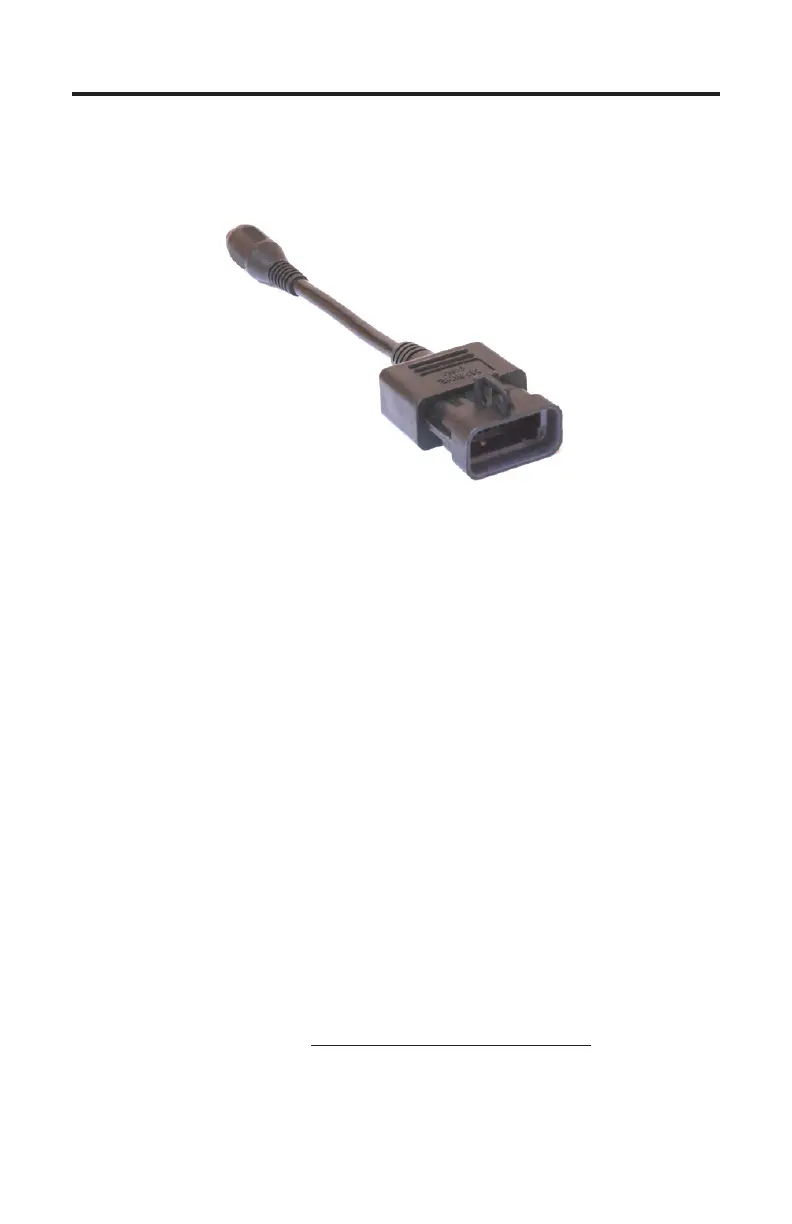
communication cable into the diagnostic connector. Scan tool adapter #94005
is required for this application as shown below.
3) Once the tool is connected, turn the ignition switch ON and start the engine
if necessary. If the engine will not start, simply leave the ignition switch ON
and proceed.
4) Aer the scan tool displays its initial opening messages, use the ▲ and ▼
keys to select the “Sterndrives / Inboards” menu item then press the YES key
to select it.
Connecting Twin Engine Systems
In a twin engine conguration the ECM modules (one on each engine) may be
electronically linked together. is link is usually installed by the boat manufac-
turer and provides the ability to diagnose both engines from a single diagnostic
connector.
With the exception of setting the engine’s base timing, all scanner functions are
available for accessing both engines from one diagnostic plug. In order for the
scanner to function properly in this mode, the ignition keys should be ON for
BOTH engines. It is not necessary to have the engines running, but both ignition
systems should be turned on (Key On/Engine OFF).
For twin installations that are NOT electronically linked together you must con-
nect to and service each engine individually. In this situation, each engine in the
twin installation will respond as Engine #1.
GM Marine EFI Adapter
Rinda Tech P/N 94005


 To Next Page