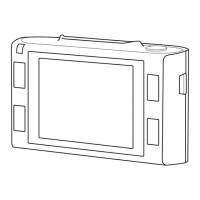
1.Modeicon–displaysvideoorphotomode
2.Videoicon–displaysvideoresoluonandframerate
3.GPSStatus-Red=Nosignal,Green=Posionlocated
4.RecordingIndicator–ashesredwhenrecordinginprogress
5.Memorycardicon–acrossindicatesnomemorycarddetected
6.Baeryindicator–displaysbaerychargelevel
7.Recordingme–Displayslengthofcurrentrecording
8.LEDLighticon–Displaysstatusofbuilt-inLEDlight
9.Exposure–Displayscurrentlyselectedexposureseng
10.WhiteBalance–Displayscurrentlyselectedwhitebalanceseng
11.EectsMode–Displayscurrentlyselectedeectsmode
12.Photoicon–Displaysphotoresoluon
13.Zoom–Currentzoomlevel(s=zoomin,t=zoomout)
14.Imagecounter–Remainingimagesthatcanbestored
Pressingthekeywillcyclethroughthevariousoperangmodes(VideoMode,PhotoMode,
VideoPlayback,PhotoPlayback)



 To Next Page