
 Need help?
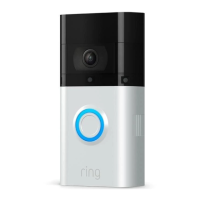
Do you have a question about the ring Video Doorbell 3 Plus and is the answer not in the manual?
After charging, insert the battery in the bottom of your Video Doorbell until it clicks into place.
Search for "Ring" in the app stores or visit ring.com/app for setup and management.
In the Ring app, select Set Up a Device, then Doorbells, and follow in-app instructions.
Enter your Wi-Fi password during the in-app setup for a smooth process.
Install the doorbell approximately four feet (1.20m) above the ground for optimal performance.
Connect the doorbell to your existing doorbell wiring for continuous power.
Shut off power at the breaker before removing the old doorbell and disconnecting wires.
Follow in-app instructions to enable your existing chime or select the "No In-Home Chime" option.
Use the mini-level to ensure your Video Doorbell is installed evenly.
For stucco, brick, or concrete, drill holes and insert anchors for secure mounting.
Connect wires from your wall to the screws on the back of the doorbell.
Use provided wire extensions and nuts if connecting wires proves difficult.
Feed wires into the wall and secure the doorbell using four screws.
Slot the faceplate into the top of the doorbell and click it into place.
Insert and tighten the security screw at the bottom of the faceplate.
Download the official user manual for the Ring Video Doorbell 3 Plus.
The Ring Video Doorbell 3 Plus is a smart home security device designed to provide enhanced monitoring and communication at your doorstep. This user manual outlines the steps for setting up, installing, and maintaining the device, ensuring optimal performance and user experience.
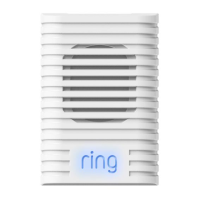
The primary function of the Ring Video Doorbell 3 Plus is to allow users to see, hear, and speak to visitors from anywhere using their smartphone, tablet, or PC. It features a camera that captures video of the area outside your door, motion detection capabilities to alert you to activity, and two-way audio communication. When someone presses the doorbell button, or when motion is detected within its configurable range, the device sends an alert to your connected smart device. This enables you to respond to visitors, even when you're not at home, providing an added layer of security and convenience. The device is compatible with existing doorbell wiring for continuous power, but also operates on a rechargeable battery, offering flexibility in installation locations. It can also be integrated with existing in-home chimes, or used with Ring Chime or Chime Pro accessories for audible alerts within your home.
The Ring Video Doorbell 3 Plus offers a range of features designed to make home monitoring intuitive and effective:
Maintaining your Ring Video Doorbell 3 Plus primarily involves ensuring its power source is adequate and keeping the software updated:
 General
| Video Resolution | 1080p HD |
|---|---|
| Field of View | 160° horizontal |
| Vertical Field of View | 84° vertical |
| Audio | Two-way audio with noise cancellation |
| Power | Rechargeable battery |
| Connectivity | 802.11 b/g/n Wi-Fi connection @ 2.4GHz |
| Features | Advanced Motion Detection |
| Night Vision | Yes |
| Compatibility | iOS, Android |
| Operating Conditions | -5°F to 120°F (-20.5°C to 48.5°C), Weather Resistant |



 To Next Page