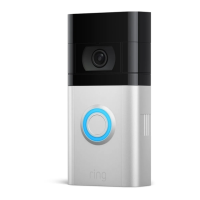
This document serves as a user guide for the Ring Video Doorbell 4, model 5D22E9, providing comprehensive instructions for its installation, setup, and use. The device is designed to enhance home security by allowing users to see, hear, and speak to visitors from anywhere, offering real-time monitoring and motion detection capabilities.
Function Description
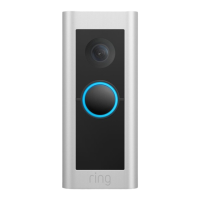
The Ring Video Doorbell 4 is a smart home security device that integrates a doorbell with a video camera, two-way audio, and motion detection. When the doorbell button is pressed, or motion is detected, the device sends an alert to the user's smartphone or tablet via the Ring app. Users can then view a live video feed, communicate with the person at the door, and record the interaction. The device is battery-powered, offering flexibility in installation, and can also be hardwired to an existing doorbell system for continuous charging and internal chime control. It is compatible with existing doorbell systems supplying 8-24 volts AC at 50 or 60Hz, 40VA max.
Usage Features
The Ring Video Doorbell 4 offers several features to enhance user experience and home security:
- Real-time Alerts and Live View: Users receive instant notifications on their mobile devices when the doorbell is pressed or motion is detected. They can then access a live video feed to see who is at their door.
- Two-Way Talk: The integrated microphone and speaker allow for two-way communication with visitors, enabling users to speak to guests or delivery personnel remotely.
- Motion Detection: The device features customizable motion detection zones, allowing users to define specific areas where they want to receive motion alerts. This helps reduce false alarms from irrelevant activity. The camera's field of view and motion detection range are optimized for placement approximately four feet (1.20 meters) above the ground.
- Battery Operation: The doorbell is primarily battery-operated, providing ease of installation without the need for complex wiring. The battery is rechargeable and can be easily inserted into the bottom of the device.
- Hardwiring Option: For those with existing doorbell wiring, the Ring Video Doorbell 4 can be hardwired to the home's electrical system. This provides continuous power, eliminating the need for manual battery recharging, and allows the existing in-home chime to ring when the doorbell is pressed.
- Ring App Integration: All functionalities, including setup, live view, two-way talk, motion settings, and video review, are managed through the intuitive Ring app, available on both the App Store and Google Play.
- Ring Protect Plans: To unlock video recording, storage, and sharing features, users can subscribe to Ring Protect plans. These subscription services store videos from Ring devices, allowing users to review and share events anytime. Basic plans cover a single device, while Plus plans cover all Ring devices at one property.
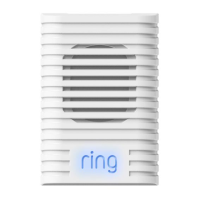
- In-Home Chime Integration: During setup, users can choose whether they have an in-home chime. If not, Ring Chime or Ring Chime Pro accessories can be purchased to provide audible alerts within the home.
- Adjustable Viewing Angle: For installations where existing doorbell wiring is higher than four feet, a Wedge Kit can be purchased separately to angle the doorbell downwards for an optimal view.
- Corner Mount Option: An optional Corner Mount is available to angle the Ring Doorbell, improving motion detection and providing a better view, especially for installations on corners or at specific angles. This mount can also be painted to match the home's exterior.
Maintenance Features
Maintaining the Ring Video Doorbell 4 ensures its optimal performance and longevity:
- Battery Charging: The device's battery needs to be charged periodically. The user guide instructs to fully charge the battery using the provided orange cable until the small light on top glows green.
- Secure Installation: The doorbell is secured to the wall using mounting screws and, if necessary, wall anchors for stucco, brick, or concrete surfaces. Security screws are used to fasten the faceplate, preventing tampering and theft.
- Faceplate Installation: The faceplate is designed to slot into the top of the doorbell and click into place, providing a secure and aesthetic finish.
- Wiring Safety: When hardwiring the doorbell, users are advised to shut off power at the circuit breaker before handling electrical wires. The guide emphasizes caution and recommends consulting a licensed electrician if uncomfortable or inexperienced with electrical work.
- Environmental Protection: The device is designed for outdoor use and can withstand water exposure, but it is not intended for submersion. Users are advised to protect it from direct sunlight, extreme humidity, and salt water, and to ensure it is installed in dry locations.
- Cleaning: Users should avoid cleaning the device with abrasive substances, oils, or lotions, and should not attempt to dry it with external heat sources if it gets wet.
- Theft Protection: Ring offers a theft protection policy, replacing stolen devices at no charge to the original consumer purchaser, provided a police report and original sales receipt are submitted within 15 days of the theft.
- Troubleshooting: The guide provides basic troubleshooting advice, such as moving the router closer or adding a Ring Chime Pro if video quality issues arise after installation. It also suggests using wire extensions and wire nuts if connecting existing doorbell wires proves difficult.
- Software Updates: While not explicitly detailed in the provided pages, Ring devices typically receive software updates through the app to improve performance and add new features.

 Need help?
 General
 Weight and Dimensions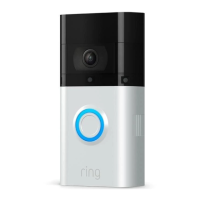



 To Next Page