.Single Mode
Single Mode fingering makes it simple to produce beautifully orchestrated
accompaniment using major , seventh , minor and minor-seventh chords by pressing
a minimum number of keys in the Auto Accompaniment section of the keyboard .
The accompaniment produced is perfectly matched to the currently selected
accompaniment style.
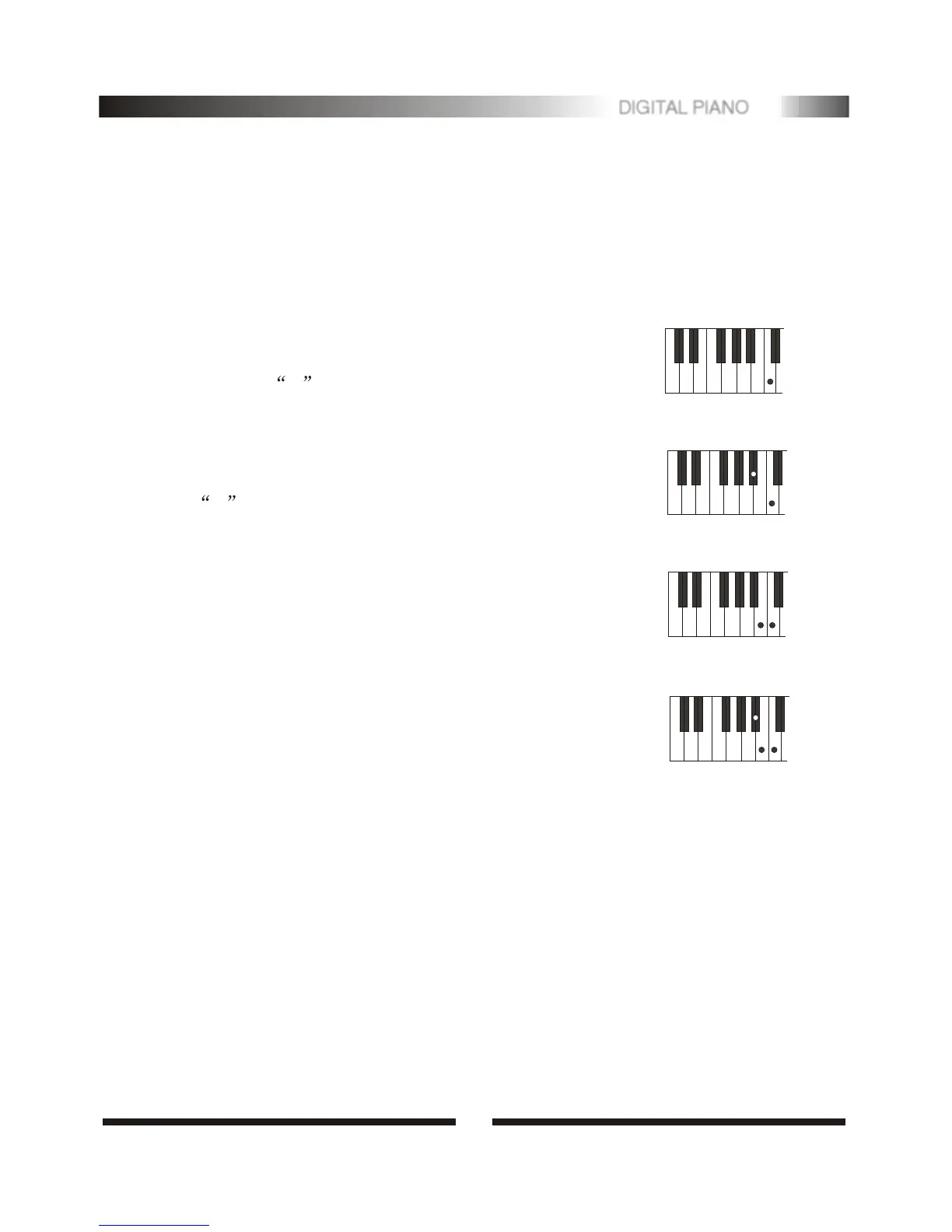
.Major Chords:
If you press a C key in the left-hand section of the
keyboard, for example, a C-major accompaniment will
be played. Press another key in the left hand section of
the keyboard to select a new chord. The key you press
will always determine the "root" of the chord played
(i.e. C for a C chord).
CC
CmCm
C7C7
Cm7Cm7
Minor Chords
Simultaneously press the root key and a black key
to its left.
Seventh Chords:
Simultaneously press the root key and a white key
to its left.
Minor-Seventh Chords:
Simultaneously press the root key and both a white and
black key to its left.
4
11
DIGITAL PIANO


 To Next Page