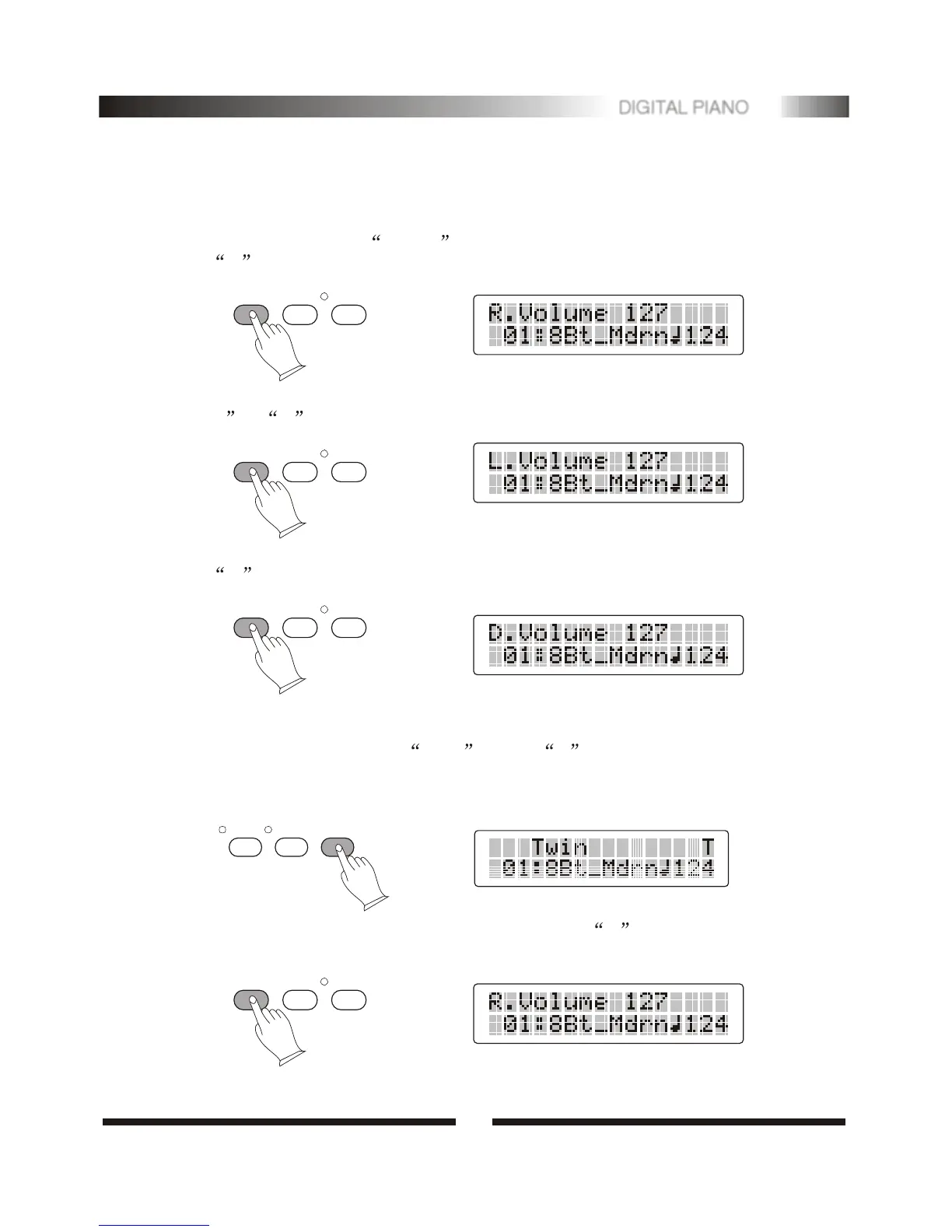
3.Kb.Vol
This function can adjust three volume settings: main voice volume,split voice volume,
and dual voice volume.
Main voice volume(R): In normal mode, you can press [KB.Vol] button to select
R and use [+/-] buttons to adjust the whole keyboard volume.
Split voice volume (L): In split mode, you can press [KB.Vol] button to select
L or R and use [+/-] buttons to adjust left hand and right hand volume.
Dual voice volume: In dual voice mode, you can press [KB.Vol] button to select
D and use [+/-] buttons to adjust dual voice volume.
KB.VOL TEMPO/TAP METRON
.Twin
Press [MODE] button to select Twin , letter T will appear in LCD. In this
mode, the keyboard will be separated into two play areas.
Right: from C3 to C7 Left: from A2 to B6
TOUCH
TRANS.
MODE
4
13
DIGITAL PIANO
KB.VOL TEMPO/TAP METRON
KB.VOL TEMPO/TAP METRON
In Twin mode.You can press[KB.VOL]button to select R and use[+/-]buttons to
adjust keyboard volume.
KB.VOL TEMPO/TAP METRON


 To Next Page