6. Midi Connections
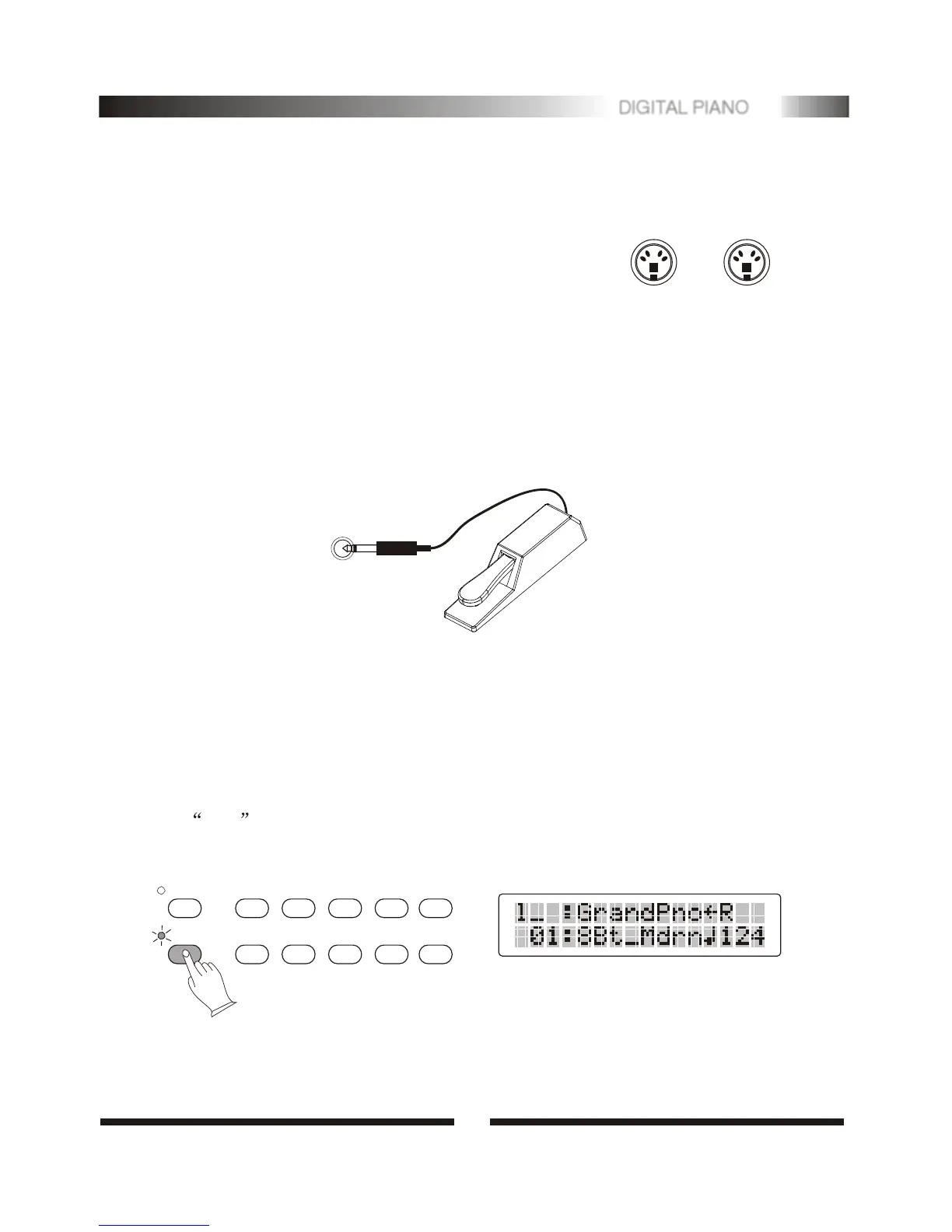
The Midi IN connector receives the Midi data from an
external Midi device which can be used to control the
instrument. The Midi OUT connector transmits Midi
data generated by the instrument to other Midi devices.
MIDI IN
MIDI OUT
7. The Pedals
A footswitch can be plugged into the rear-panel PEDAL jack. It is similar to real
piano function. The Sustain Pedal functions as a damper pedal controlling sustain.
Press the pedal to sustain notes after the keys are released.
8.Select Voice
When [voice/style] button is unlighted, You can press [0-9] buttons to select 20
voices as follows, press any of 0-9 buttons, side A voice is selected, then press the
same button again, side B voice is selected.
Press [number] button, the indicator is lighted, then you can use [0-9] buttons to
select 01-137 voices. When selecting voice 100-137 , holding the [1] button till
the 1_ is displayed, you can enter the tens and ones digits.
VOICE/STYLE
1 2
3
6
7
8
NUMBER
G.PIANO VIBRAPHONE C.ORGAN
E.PIANO
MARIMBA
P.ORGAN
VIOLIN
CHOIR AAHS
BRASS
CELLO
ORCHESTRA HIT
TRUMPET
4
5
9 0
ACCORDION
STRINGS1
GUITAR
STRINGS2
FLUTE
CLARINET
SAXOPHONE
DRUMS
PEDAL
4
5
DIGITAL PIANO


 To Next Page