Installation and Programming Manual 3-83
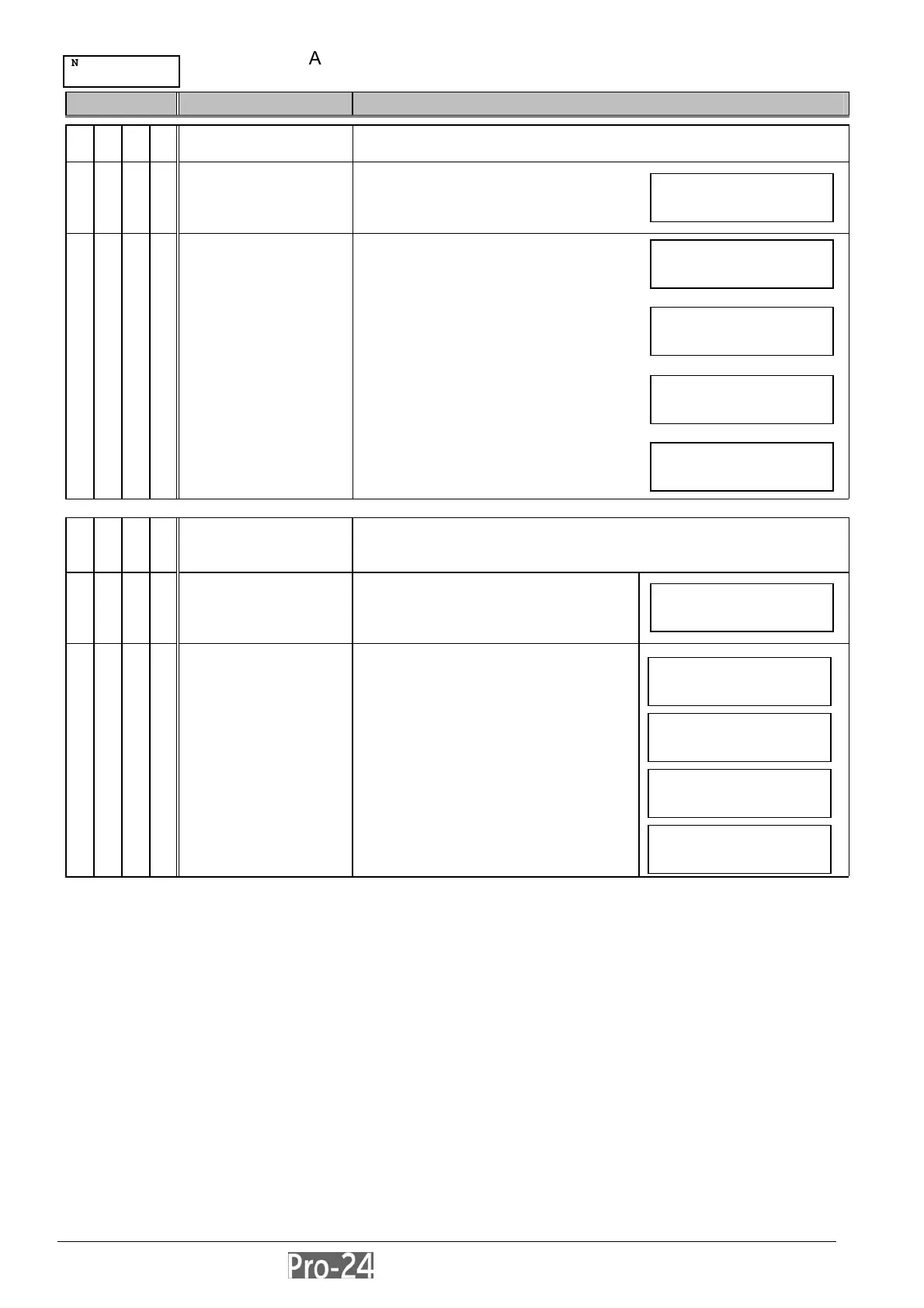
ACCESSORIES: VERIFY MODULE
ACCESSORIES: BUS TEST
Quick Key Item Explanation
VERIFY MODULE
provides a convenient listing of all of the system’s
Keypads and Expansion Modules
from this display, press [ENTER]
7 2
scroll down the list of displayed
accessory devices to ascertain
that all Keypads and Expansion
Modules in the installation have
been specified correctly
the system will display the
programmed device, its address,
and whether or not it’s found on
the BUS
doing so helps you to identify
programming mistakes
BUS TEST
provides a convenient method of checking for effective
communication between the Main Board and each of the
system’s Keypads and Expansion Modules
from this display, press [ENTER]
BUS Testing begins
7 3
checks for irregularities in the
connections between the devices
on the BUS
the system will display the
programmed device, it’s address,
and the quality of the
communication, expressed as a
percentage
a result of less than 100% means
that there are BUS connection
problems (e.g. bad wiring, or
cabling located in a harsh
electrical environment)
INSTALLER PROG:
7)ACCESSORIES
↓
CCESSORIES:
2)VERIFY MDL ¤
ERIFY MODULE:
UO04:01 = UO04 ¤
ERIFY MODULE:
XO08:02 = XO08 ↑
ERIFY MODULE:
LCD :01 = LCD ↓
ERIFY MODULE:
KP08:02 = KP08 ¤
CCESSORIES:
2)BUS TEST ¤
BUS COM QUALITY:
LCD :01 = 100% ↓
BUS COM QUALITY:
KP08:02 = 100% ¤
BUS COM QUALITY:
UO04:01 = 100% ¤
ERIFY MODULE:
XO08:02 = 100% ↑



 To Next Page