This machine identifies the paper
size according to the position of
the feed-tray paper guides. If the
feed-tray paper guides do not fit
tightly to the paper
, the paper size
cannot be identified correctly.
When you are using custom size
paper, specify the paper size on
the control panel.
Page 2
Step 4
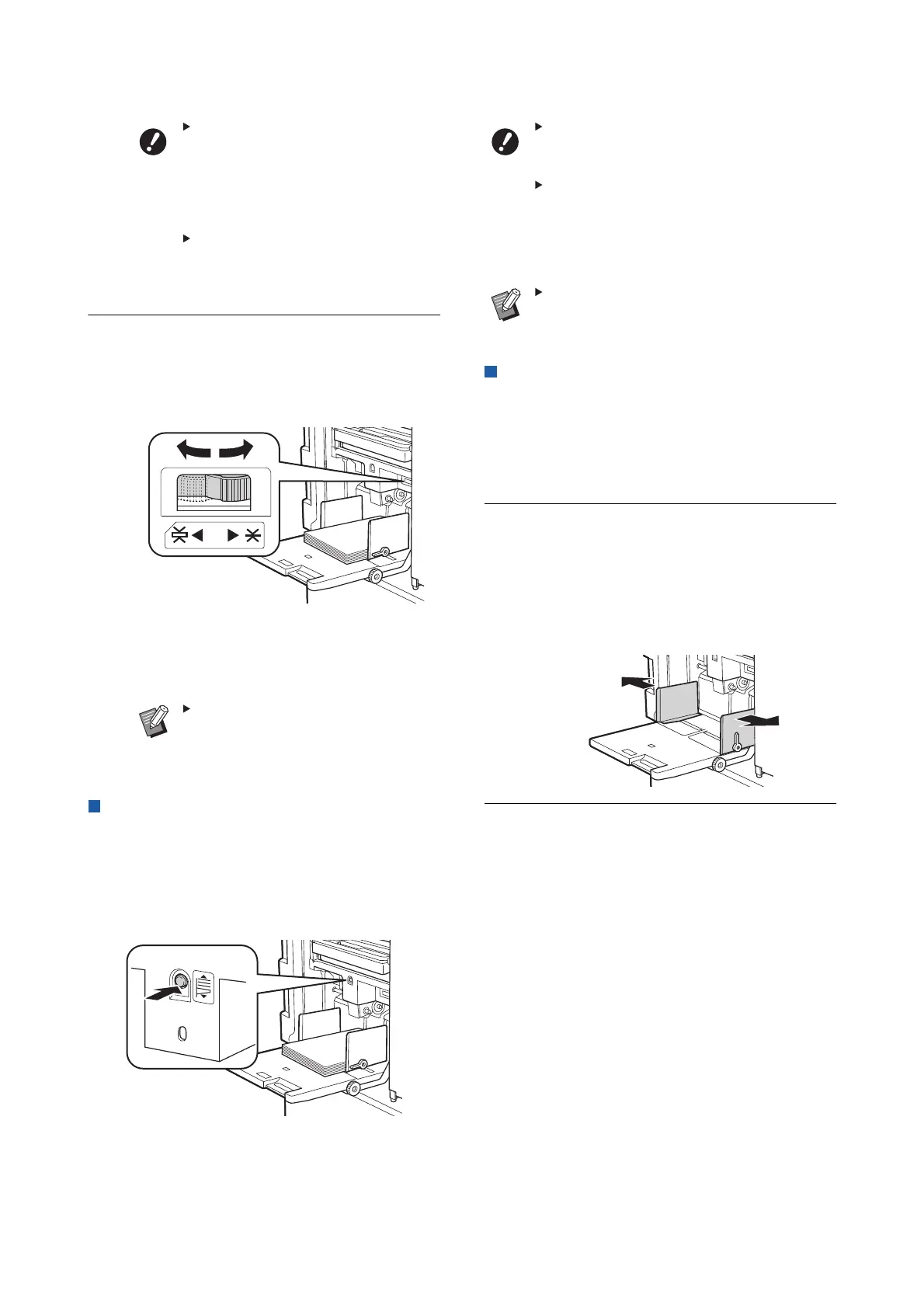
Adjust the paper feed pressure.
Select the position of the paper-feed setting
lever according to the paper type.
For newsprint paper and fine paper, turn the
lever to the left.
For smooth cardstock and thick paper such as
drawing paper
, turn the lever to the right.
The position of the paper-feed
setting lever is displayed next to
[Paper] in the master making basic
screen.
Adding and replacing the paper
Lower the paper feed tray to a position where you can
easily remove and place paper before adding or
replacing paper during the printing process. When you
press and hold the feed tray ascent / descent button,
the paper feed tray stops the moment you release
your finger from the button.
After replacing the paper with that of a
different type, reposition the paper-feed
setting lever
.
After replacing the paper with that of a
different size, also adjust the receiving-
tray paper guides and the paper
stopper
.
When the paper runs out or all of the paper
is removed, the paper feed tray lowers to
the bottom automatically
.
How to close the paper feed tray
Step 1
Remove all of the paper.
After removing the paper, check that the paper
feed tray is lowered to the bottom.
Step 2
Slide the feed-tray paper guides to
the ends.
Raise the lock levers for the feed-tray paper
guides and slide the feed-tray paper guides by
hand.
Step 3
Close the paper feed tray.



 To Next Page