EasyManua.ls Logo

RITE-HITE FasTrax XL - User Manual

RITE-HITE FasTrax XL
92 pages
Print Icon
To Next Page IconTo Next Page
Loading...
Manual Part #: 39500157
Model: FSTXXL
Publication: AMEN00316 2020-07-06
FasTrax
®
XL
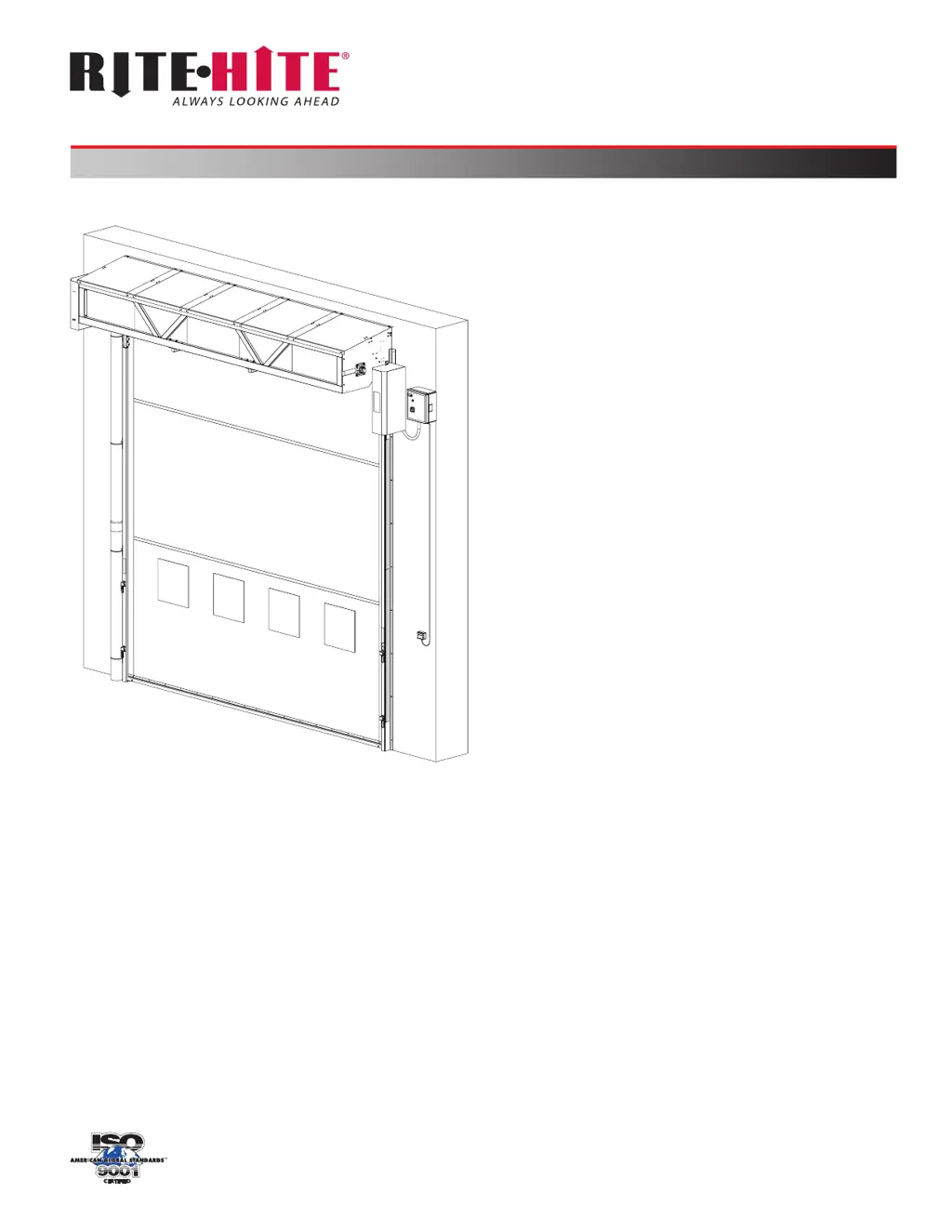
High Speed Door
Installation/Service/Owner's Manual
Language: English (Hazards: English, French)

Questions and Answers

  • W
    Wendy WhiteAug 12, 2025
    What to do if the RITE-HITE FasTrax XL does not open?
    • D
      David BakerAug 12, 2025
      If the RITE-HITE Door Opening System isn't opening, start by verifying that input X3, X5, or X6 are activated when the activation device is used. Next, check that outputs K3, K4, K5, and YDC2 are active or becoming active to signal the inverter to open the door. Also, check the i?COMM 3 display to understand why the door is staying closed; it should read 'Door Opening'. Ensure the inverter display is showing a change in frequency and that proper incoming power is reaching the inverter at L1, L2, and L3. Finally, make sure the chain hoist chain is not pulled and the switch is not tripped, and that X14 is on.
  • D
    Dr. Adam McfarlandAug 18, 2025
    Why does my RITE-HITE FasTrax XL slam open or close?
    • A
      Angela CaldwellAug 18, 2025
      If your RITE-HITE Door Opening System is slamming open or closed, several factors could be responsible. First, verify that the open and close positions are accurately set. Then, ensure that the encoder lock collar and sprocket set screws are tight, and the chain moves when the drive tube turns. Confirm that the encoder shaft rotates when the drive tube is turned, and that the inverter display shows changing speeds. Check that the phasing is correct, so the door opens when the green Open button is pressed. Also, verify that the brake is engaged and not released, the key is installed on the gearbox shaft, and the correct ratio gearbox is being used. Finally, ensure the encoder has been set up and the rectifier is receiving 120VAC and outputting approximately 100VDC to the brake.
  • E
    esmithAug 23, 2025
    What to do if the RITE-HITE Door Opening System curtain is blowing out?
    • M
      Michael CollinsAug 23, 2025
      If the curtain of your RITE-HITE Door Opening System is blowing out due to high wind or negative pressure, ensure the lower tracks are mounted at O.D.W. + 1/2in [13mm]. Mounting them wider can cause excessive curtain wear, while mounting them narrower can increase curtain buckling or billowing. Also, check that the curtain has all drive spheres in place and verify that the Lexan Strips are present and functioning correctly.
  • T
    Tracy ReynoldsAug 30, 2025
    How to fix a RITE-HITE FasTrax XL Door Opening System curtain that struggles or is baggy?
    • J
      john95Aug 30, 2025
      If the curtain on your RITE-HITE Door Opening System is struggling to raise or lower, or appears baggy, start by checking for proper track spacing, ensuring it's O.D.W. + 1/2in [13mm]. Additionally, make sure the tracks are lubricated with food-grade synthetic grease, such as Super Lube.
  • S
    Sarah FullerNov 5, 2025
    What to do if the RITE-HITE FasTrax XL Door Opening System does not close?
    • H
      holmeskimberlyNov 5, 2025
      If the RITE-HITE Door Opening System doesn't close, several factors could be at play. First, check the i?COMM 3 display for messages like 'Photoeye Blocked' or 'Photoeye Failure'. The display should read 'Door Closing in 'x' seconds'. Next, ensure proper incoming power is reaching the inverter at L1, L2, and L3 (220, 230, 400, 460, 575). Also, verify that the chain hoist chain isn't pulled and the switch isn't tripped, ensuring X14 is on. If a run timer occurs, inspect for any binding or obstructions, and consider lubricating the lower tracks to reduce friction. Make sure inputs X3, X5, X6, or X7 are not active; if they are, disconnect the wire from the terminal to identify the cause. Confirm that outputs K1, K2, K4, K5, and YDC2 are signaling the inverter to close the door. Ensure X10 and...

Summary

Safety Precautions and Procedures

Safety Identifications

Explains hazard level indicators like DANGER, WARNING, CAUTION, and NOTICE.

Lockout Procedure

Details steps for safe lockout/tagout during maintenance and electrical work.

General Safety Guidelines

Provides general safety advice, electrical grounding requirements, and hazard warnings.

Product Features Overview

Component Identification

Identifies key door components, controls, and optional features with labels.

Installation Guide

Installation Preparation

Outlines initial steps, required tools, and site inspection before starting installation.

Door Jamb Requirements

Specifies measurements and conditions for door jambs, headers, and caulking.

Mounting Methods

Details acceptable/unacceptable anchor types, fasteners, and mounting on various wall types.

Lower Track Assembly

Step-by-step guide for installing standard and extended projection lower track assemblies.

Rear Brace and Primary Tube Installation

Guide for installing the rear brace and primary tube assembly.

Rear Windbar Roller Tube Installation

Steps for installing the rear windbar roller tube, specifically for extended projection.

Curtain Roller Tube Installation

Instructions for installing the curtain roller tube and front brace.

Top Brace and Curtain Arms Installation

Details installation of the top brace and curtain arms.

Primary;Curtain Tube Centering

Steps to center the primary tube between the header lower tracks for proper alignment.

Motor;Encoder Installation

Guide for installing the drive motor/gearbox assembly and encoder.

Non-Drive Side Installation

Procedures for installing components on the non-drive side of the door.

N.P.O. (Non-Powered Opening) Installation

Instructions for installing the optional Non-Powered Opening kit.

Power Outage Procedures

Explains how to operate the door during a power outage with or without N.P.O.

Counterweight Installation

Steps for safely installing the counterweight assembly.

Lintel Rollers Installation

Details installation of lintel rollers, noted as not provided on extended projection versions.

Front and Rear Windbar Installation

Guide for attaching and positioning front and rear windbars.

Virtual Vision Installation

Steps for installing the Virtual Vision system with motion sensors and LED light bars.

Header Cover Installation

Instructions for installing front, top, and side header cover panels.

Electrical Installation Overview

General safety and installation guidelines for electrical wiring.

Drive Side Electrical and Photoeyes

Wiring and installation for drive side electrical components and curtain position photoeyes.

Control Box Details

Explains the components, terminals, and labels within the control box.

Electrical Wiring Diagrams

Comprehensive diagrams for field wiring, motor, brake, activation, and voltage configurations.

Virtual Vision Wiring and Junction Box

Diagrams and parts for the Virtual Vision junction box and system wiring.

Miscellaneous Electrical Connections

Illustrates various miscellaneous electrical cable connections for system components.

Wireless Activation (Optional)

Guide for pairing and using the wireless activation system.

Label Application

Instructions for cleaning and applying labels to the back of the door.

Final Checklist

A comprehensive checklist to verify proper installation completion.

Door Operation Procedures

Door Operation Safety

Safety precautions for operating the door, including travel through open doorways.

Security and Login

Explains PIN-based security, login procedure, and default PIN.

Close, Stop, and Open Controls

Describes the function of the Close, Stop, and Open buttons on the control panel.

i-COMM 3 Common Locations and Tasks

Navigational paths and step-by-step guides for common tasks in the i-COMM 3 system.

Verify Operation and Photoeye Adjustment

Procedures to verify door operation and adjust photoeye alignment.

Power Outage Procedures

Steps to follow for operating the door during a power outage.

Maintenance and Troubleshooting

Planned Maintenance Schedule

A schedule outlining routine inspection and maintenance tasks based on operating months.

Brake Release Procedure

Instructions for releasing and engaging the door brake.

Encoder Replacement

Step-by-step guide for replacing the encoder assembly.

Drive Sphere and Retention Strip Replacement

Procedures for replacing drive spheres and retention strips.

Troubleshooting Common Issues

Addresses common problems with activation, brake, curtain, photoeyes, and door movement.

Troubleshooting System Faults

Addresses issues with motor, N.P.O., power supply, virtual vision, and voltage.

Parts Identification

Control Box Parts

Lists components and part numbers for the control box assembly.

Kits and Junction Box Parts

Lists parts for FSTXXL kits and the Virtual Vision junction box.

Drive System Parts

Details components and part numbers for the drive system, including motor and gearbox.

Roller Tube and Curtain Parts

Lists parts for the primary roller tube, curtain assembly, and related items.

Counterweight Assembly Parts

Details all components and part numbers for the counterweight assembly.

Shroud, Re-Feed, and Windbar Parts

Lists parts for shrouds, re-feed assemblies, and windbar systems.

N.P.O. and Standard Projection Parts

Lists parts for the N.P.O. kit and standard projection main components.

Projection Specific Track and Shroud Parts

Details parts for lower track and shroud assemblies for standard and extended projections.

Extended Projection Windbar System Parts

Lists parts for the windbar system in the extended projection configuration.

Technical Abbreviations

Abbreviation Glossary

Glossary of common technical abbreviations used throughout the manual.

Product Warranty Information

Rite-Hite Limited Product Warranty

Details the terms, conditions, remedies, and limitations of the product warranty.

RITE-HITE FasTrax XL Specifications

General IconGeneral
BrandRITE-HITE
ModelFasTrax XL
CategoryDoor Opening System
LanguageEnglish

Related product manuals