STARTUP
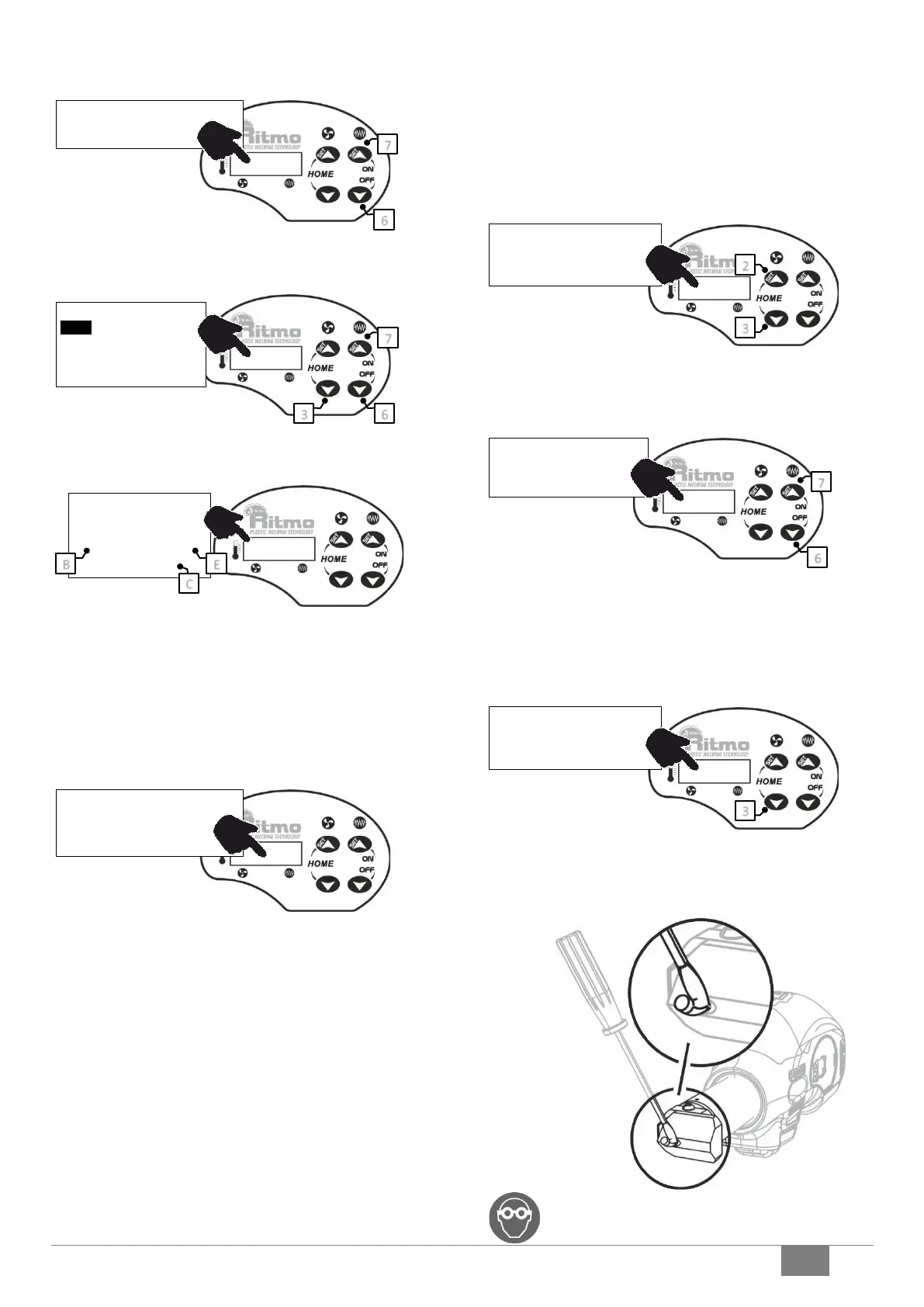
Hold pressed #6 & #7 till initial check begins (CHK: xx…), then select the
material to extrude.
MATERIAL SELECTION
Use buttons #6 and #7 to scroll the materials’ list, then push #3 to confirm.
WARM UP
B: Blower Setting point
E: Melting chamber setting point
C: Countdown to the warmup end
The extruder is disabled till the countdown has elapsed.
Note
The extruder is equipped with a safety system that disables the motor if:
• the minimum working temperature has not been reached;
• a new set point, that is greater or lower than 10°C, has been typed in.
Once the heating time has been elapsed (READY!), the extruder is ready to
work.
The air and plastic temperatures are the same that have been stored since
the last usage. These settings can be changed following the procedure
below.
CUSTOM TEMPERATURE SETTINGS
When the temperature settings are changed, the extruder automatically
activates the 'CUST' mode.
AIR TEMPERATURE SETTING
Hold button 2 pressed for 3 sec. Use buttons 2 and 3 to set the air
temperature within the range T min=250°C – T max=365°C. The new setting
point is stored after 5 sec.
EXTRUDATE TEMPERATURE SETTING
Hold button 7 pressed for 3 sec. Use buttons 6 and 7 to set the air
temperature within the range T min=195°C – T max=260°C. The new setting
point is stored after 5 sec.
Working temperature
Please refer to standard DVS 2207-4.
AIR FLOW
If the sheets to be welded are very thin, it is possible to decrease the blower
flow.
Decrease the air temperature below 225°C: the display will show a flashing
‘225°C/OFF’ while air flow slows down.
CHECKS
Make sure the extrudate-hose is not clogged before triggering the motor.
If necessary, gently remove the extrudate clogging when it’s turning soft
with a flat screwdriver tip.
WARNING! Use eyewear. Do not stand in front of the
extrudate hose.



 To Next Page