15
16
(32)
(33)
(34)
(35)
Personal settings
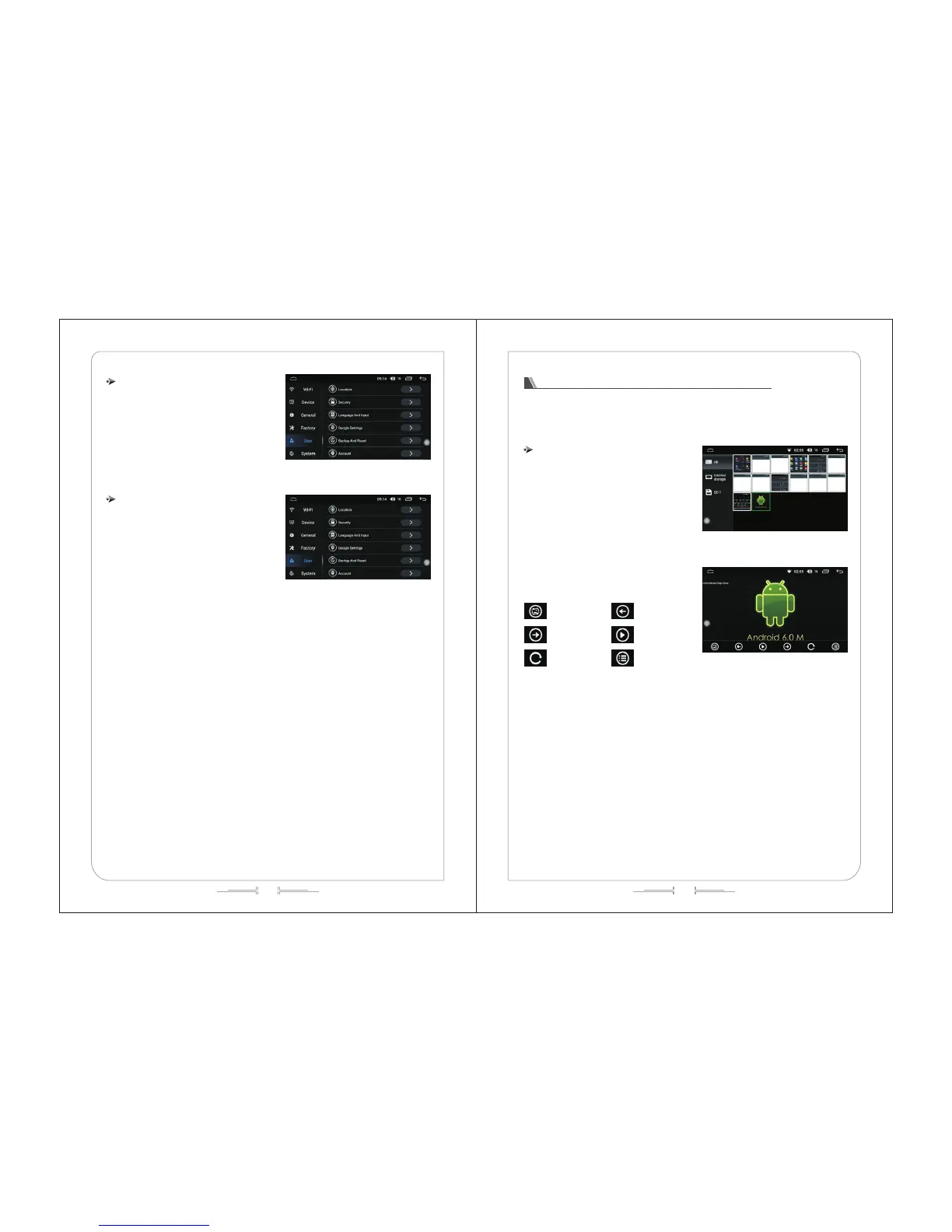
In personal settings, you can operate on the
location information, security, language and input
methods, GOOGLE settings, backup and reset,
accounts, etc. (as shown in figure -32)
System settings
In system settings, you can operate on the date
and time, without hindrance, developer options, and
about the vehicle. (as shown in figure -33)
Functional operation of gallery browsing
Gallery is used to view all the pictures on the SD card / USB, and the gallery interface can display all
the picture files on SD card, the files with pictures and videos, showing the picture details, deleting
pictures, and supporting full screen to view pictures. Gallery is convenient for you to manage pictures on
the SD card / USB.
Enter / Exit
1)In the main menu interface, click the "Gallery"
icon to enter the gallery list interface, as shown in
(Fig.-34)
2)Click on the pictures file, and you can view the
pictures in full screen, and can set the picture file, as
shown in (Fig.-35):
Set as the wallpaper
Next page
Rotate
Previous page
Auto-play the pictures
Lis



 To Next Page