3
Functional operation of radio
(06)
4
Automatic search
(07)
(08)
MIC音量
(09)
Enter / Exit
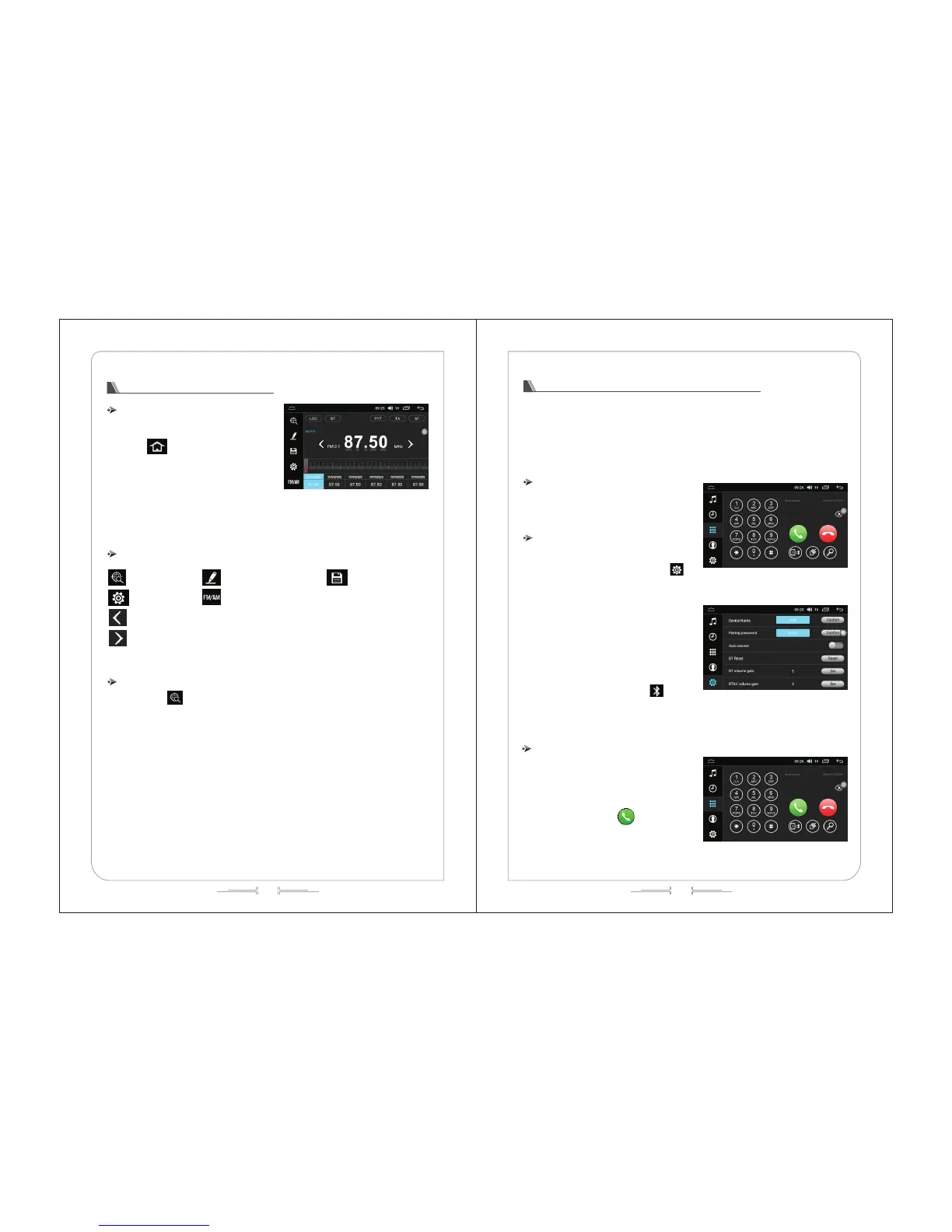
In the primary menu interface, click the "radio"
icon to enter the radio interface, as shown in (Fig.-06):
Click " " icon or return key to exit the radio
interface.
The machine can store 6 stations. Press the
prestore button at the bottom of the screen to save the
current broadcasting station, and click the save button
to broadcast the station.
Touch function operation
Manual input station Save the station
Setting Band switching
Turn left for minitrim / auto search (long press to switch)
Turn right for minitrim / auto search (long press to switch)
Automatic search
Click the " " to enter the automatic search state. The automatic storage can be realized
meanwhile during the process of automatic search state. Click the automatic search icon to suspend the
automatic search function.
Functional operation of Bluetooth Handsfree
1)This system provides the Bluetooth Handsfree function. If your mobile phone has the Bluetooth
function, it can establish a point-to-point connection with this system to realize the functions including
telephone dialing, answering and Bluetooth music broadcasting on the screen.
2)Due to the differences of the Bluetooth modules adopted by various mobile phone brands and the
differences between software, some functions may vary with actual use and even can be incompatible.
We apologize for the inconvenience caused.
Enter / Exit
Click the "Bluetooth" icon in the main menu
interface to enter the Bluetooth interface, as shown in
(Fig.-07):
Pairing and connection
1)To use the Bluetooth Handsfree function, you
should establish a connection to pair the machine with
the Bluetooth mobile phone and then click the " "
to enter the Bluetooth setting interface, as shown in
(Fig.- 8):
2)Set the Bluetooth to the "On" state and turn on
the Bluetooth function of your mobile phone. Choose the
"Bluetooth Connection" icon to enter the scanning
interface of the available device and then click the
"Scan" icon or directly turn on the Bluetooth of your
mobile phone. After the system and mobile phone obtain
the signal connection, the device name will appear on
the screen of your mobile phone. Click the device name,
and then the mobile phone will notify you to enter the
PIN code (connection password). The " " icon will
appear on the upper right of the screen after the
successful pairing.
Dial
1)You can directly dial through your mobile phone,
or enter the number through the numeric keyboard on
the screen. As shown in (Fig. 9):
2)Press the numeric keys on the screen to enter
the number. The number entered can be displayed in
the number field. Click the " " icon to dial, as
shown in (Fig.-10):



 To Next Page