7 8
(16)
(17)
(18)
(19)
3.The driver should complete the
setting of the machine in advance or the
passenger can conduct the operation. Safe
usage is the primary issue to ensure the
safety of drivers, passengers and other
people.
Map reading
Due to the rapid development of urban construction as well as the urban and
rural road traffic, and thanks to the ceaseless change of the traffic control information
and traffic facilities of city streets. The navigation software company will continue to
update the navigation electronic map. Please learn about the update information
about the navigation electronic map of the navigation software company. Due to the
changes of traffic regulations or temporary road control, the guiding line may be
inconsistent with the traffic control condition on site.
For your
safety, do not
operate the
unit while
driving.
Functional operation of music player
This function can play the music in the USB, SD card and other connecting devices (MP3 / WMA).
Enter / Exit
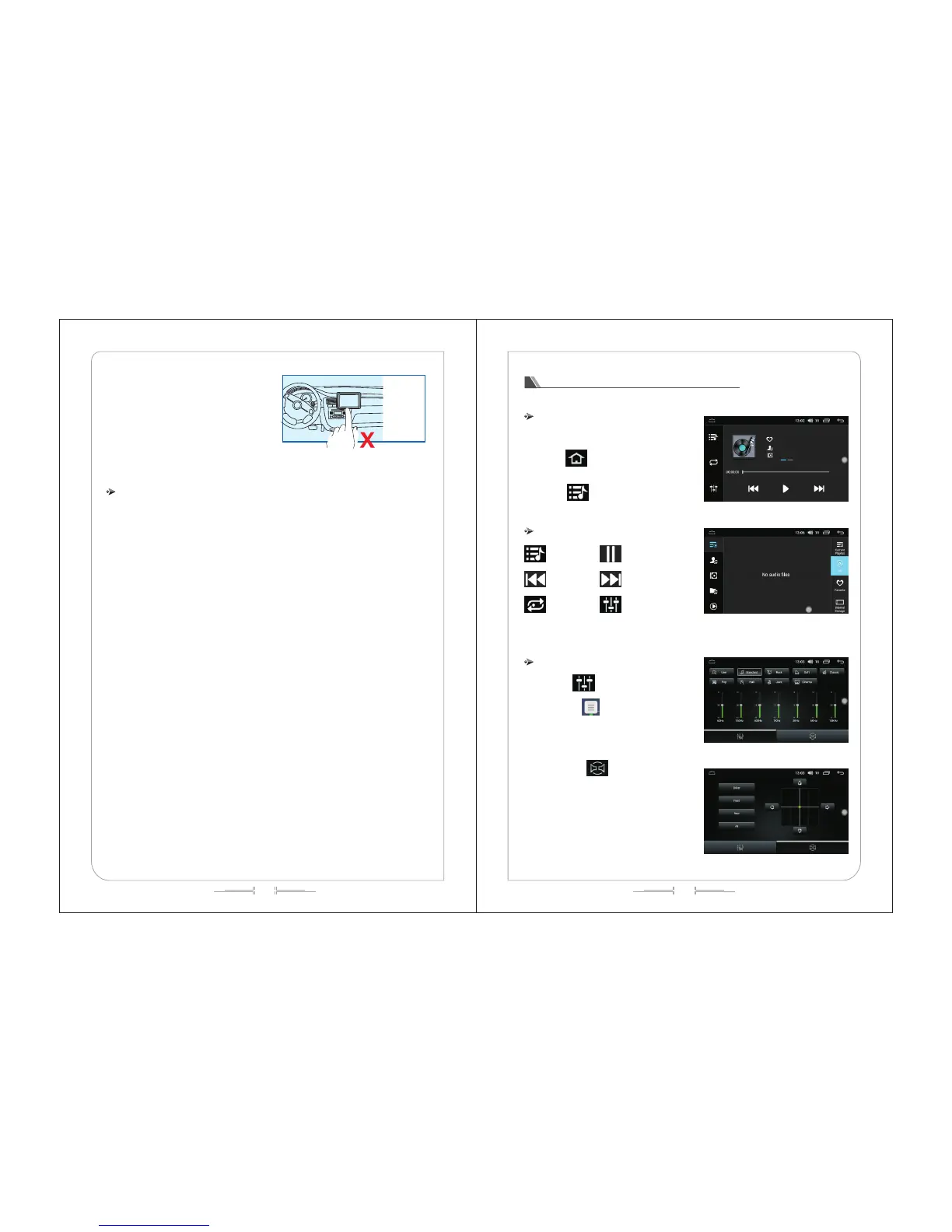
In the main menu interface, click the "Music" icon
to enter the music player interface, as shown in (Fig. -
16).
Click " " icon to exit the audio playback
interface, and the playback function will continue in the
background.
Click " " icon to enter the list and track
function interface. (see figure -17)
Touch function operation
Music list
Prev
Repeat
Pause/Play
Next
Sound effect settings
Sound effect settings
Click " " to enter the audio setting
interface; (as shown in figure 18)
Drag the " " icon to adjust the volume.
Users can choose their preferred mode according to the
actual demand.
Click on the " ” to freely adjust the sound
source location (as shown in figure 19), and click on the
direction button to fine tuning the sound source position.
Users can also click on the default mode to achieve their
desired effect.



 To Next Page