The machine can automatically enter the start-up state if the key is inserted again when it is
unplugged to shut down the machine last time. Softly press the power button to start up the host when you
start up the machine again if you press the power button on the panel to shut down the machine last time.
Start/close the machine
1
(01)
2
(02)
1) In the application icon interface, press the
function icon for 2 seconds, then the icon in the shaking
state, meanwhile, pressing the icon without leaving can
make the icon be moved. Drag the application icon to
the main interface and then the shortcut icon is created.
2) In the application icon interface, press the
function icon for 2 seconds, then the icon in the shaking
state, meanwhile, pressing the icon without leaving can
make the icon be moved. Drag the icon up to the delete
position and then the shortcut can be deleted (See
figure -04).
(03)
(04)
(05)
Start-up
Shutdown
With the car key unplugged and after the system identifies the power shutdown, the automatic
shutdown can be implemented. Long pressing the power button can make the system shut itself down
(depending on specific vehicle types).
Main menu
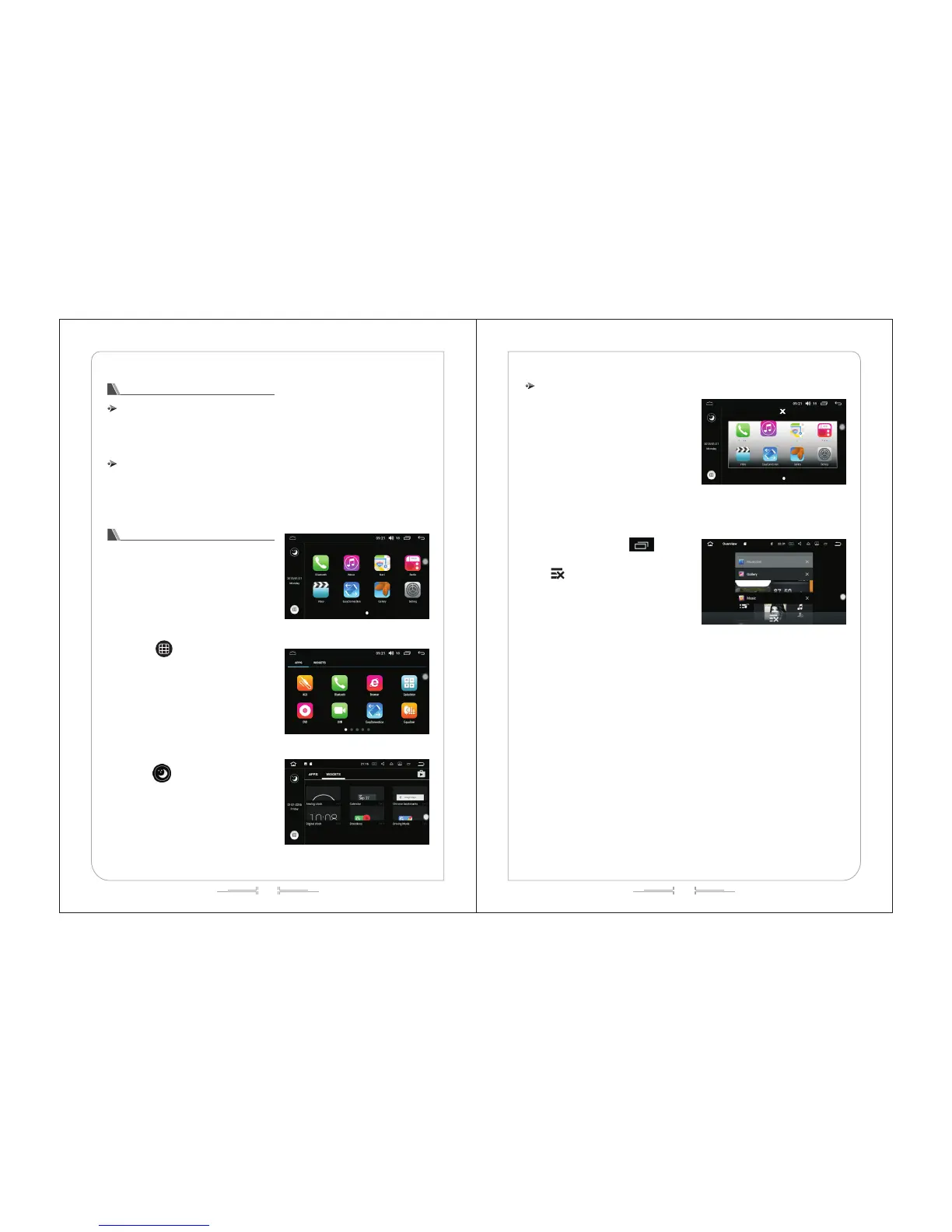
1) When the system is switched on, it will enter
the main menu interface by default (as shown in figure
-01);Click the icon to enter the interface function
operation.
Click " " to enter the menu and slide
around (see figure -02) to check other applications.
Swipe left or click on the widget to enter the
widget interface. (See figure -03)
Click " " to enter hibernation mode and
click anywhere on the screen to wake up the car.
Start/close the machine
Note: in any interface, click " " to see the
program running in the background; click APP
thumbnail to enter this function operation interface;
click " " to close all running programs. (See
figure -05)



 To Next Page