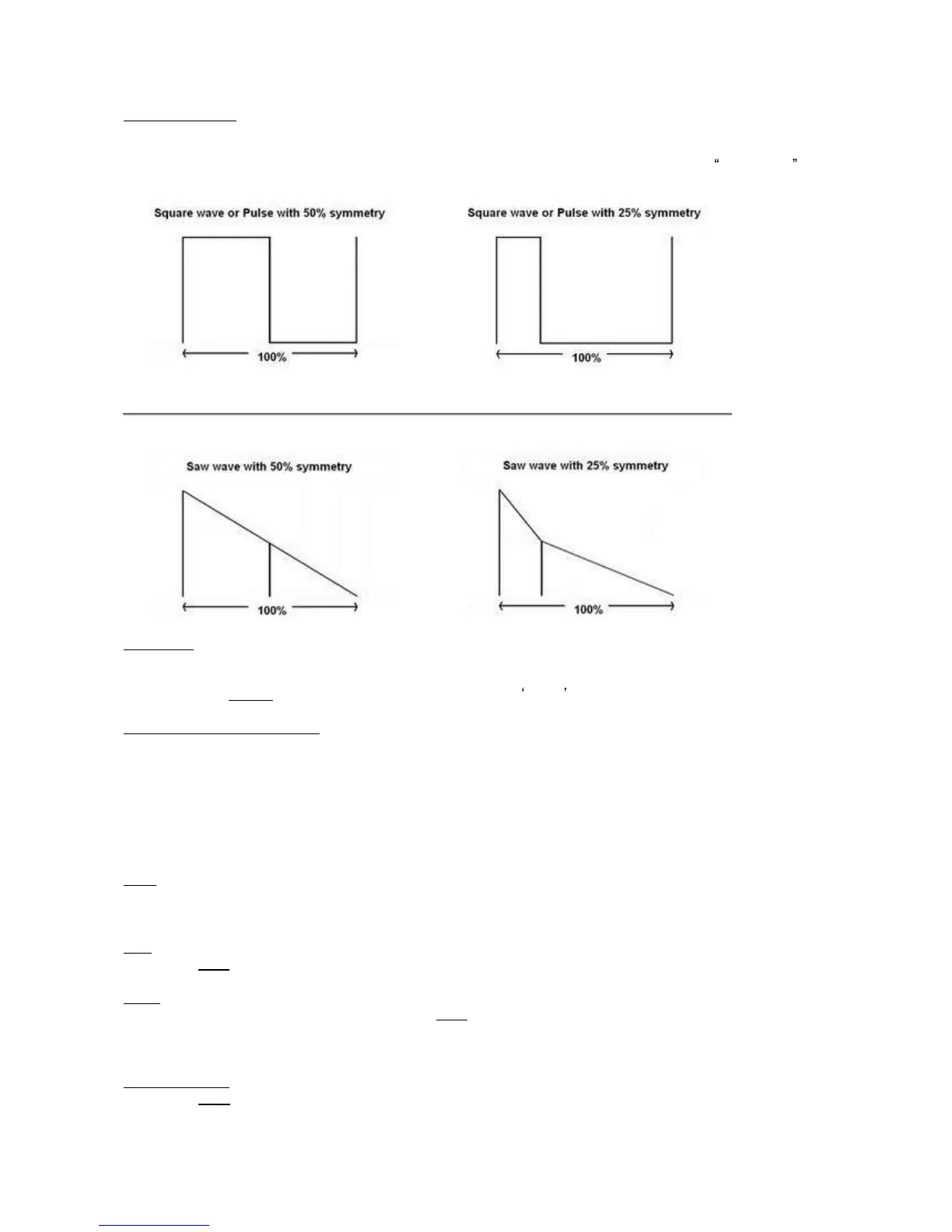
Symmetry (Sym.)
This controls the
symmetry of the selected waveform. The effect it has differs from waveform to waveform,
but basically it moves the midpoint of the waveform.
It is most commonly used with the Square waveform. Here the symmetry control alters the pulse width of
the wa
veform, from very narrow pulse waveforms to normal square waves.
Free on/off
When this is turned on, it returns an oscillator to the initial position when you press a new key, when its off,
the oscillator continues from its last position, it is "free
-
run
ning".
This is useful in
spread
sounds because it removes the initial attack part of the sound.
Sync on/off (Osc.2 and Osc.3)
Only available for Oscillator 2 and Oscillator 3. If you switch it on, the oscillator synchronizes to Oscillator 1.
This means
that when oscillator 1 finishes the wave cycle, it resets the synced oscillator to the initial position.
This means that the oscillator does not have a life for its own anymore and is bound to Oscillator 1. You can
hear it very well if you detune, for in
stance, Oscillator2 and then turn Sync on.
The detuning disappears, and it now has the same pitch as Oscillator 1. However, Oscillator 2 will sound
different because it is being reset by Oscillator 1, this will cause the sound to have different harmonic
co
ntent. Listen to preset "Predator SyncLead" of the first bank for an example.
Semi
This controls the root pitch setting of the oscillator, with semitones you can alter the tuning from
-
48
semitones down (
-
4 octaves) to 48 semitones up (+4 octaves) from
the base note.
Fine
Next to the
semi
knob fine sets the fine
-
tuning of the oscillator with a range of
-
100cent up to +100cent.
Track
The track button is located at the very top of the
semi
button.
With track set to
on
the oscillator follows the
keyboard
in pitch. When it is
off
the pitch of the oscillator stays the same independent of what key is played.
In the case of FM or Ring modulation, or for FX sounds it can be handy if you can turn this setting
off.
Octave up/down
Next to the
track
control you c
an find an up and down arrow. Pressing up increases the oscillator tuning by
an octave, pressing down decreases the oscillator tuning down by an octave.



 To Next Page