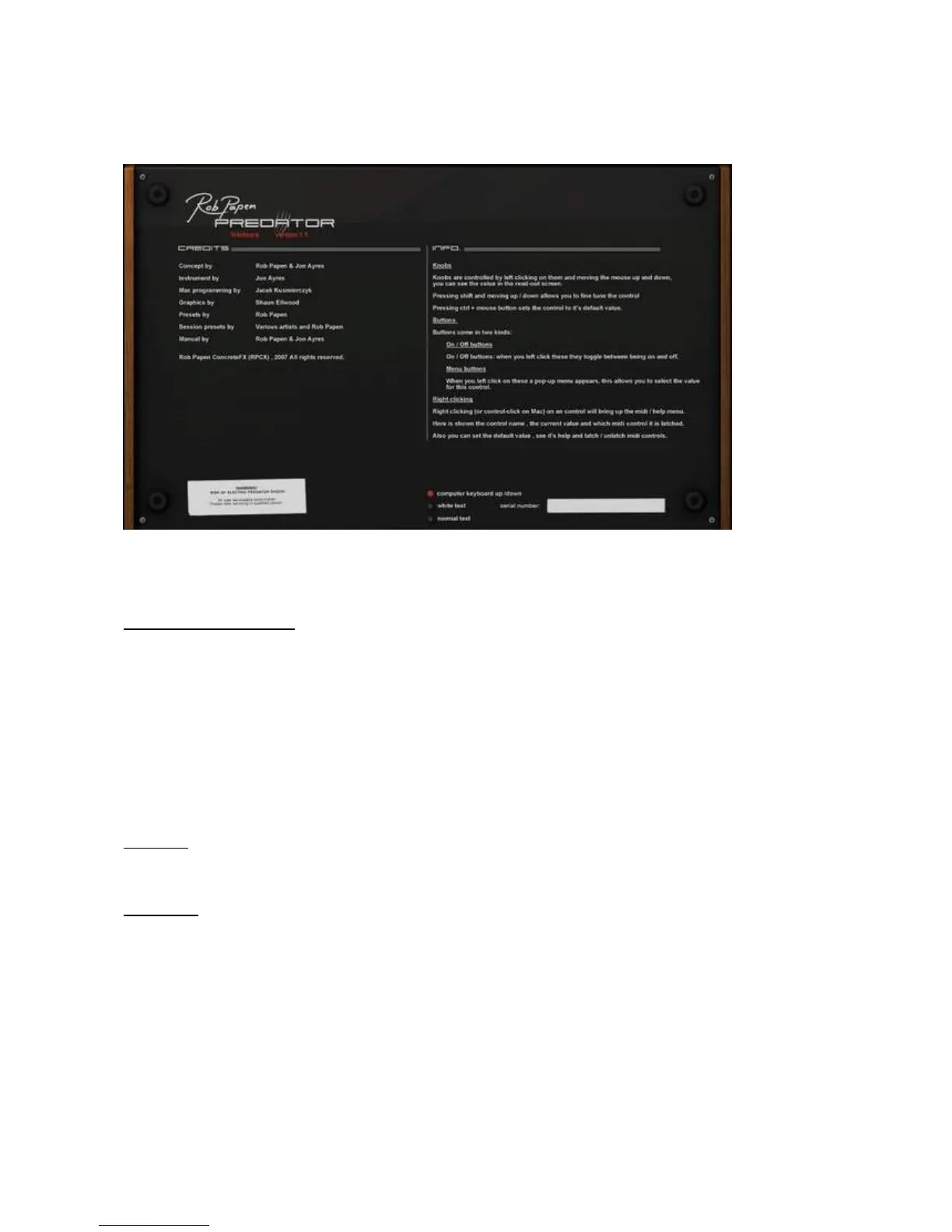
[ Back panel ]
If you click on the Predator Logo, the back panel is shown.
T
his is where you can read the credits and info on controls.
Next to that some global settings for Predator can be found.
Computer Keyboard on/off
You can alter the current preset and banks using the computers keyboard.
This setting is global and will work
for all Predator's active in your host.
Below the functions that are available.
-
Up arrow button
Previous preset.
-
Down arrow button
Next preset.
-
Right Arrow button
Increase preset number by 32, useful in the manager screen.
-
Left Arrow button
Decrease preset number by 32, useful in the manager screen.
-
Page Down
Next Predator bank
-
Page Up
Previous Predator bank
-
Mouse Scroll Wheel Ctrls
Scrolling the mouse wheel up and down scrolls through the presets.
White text
If the red text appe
aring inside Predator is hard to read, please do switch to "white text".
This setting is global and will work for all Predator's active in your host.
Normal text
If the font type is difficult to read, you can switch to "normal text".
This setting is globa
l and will work for all Predator's active in your host.



 To Next Page