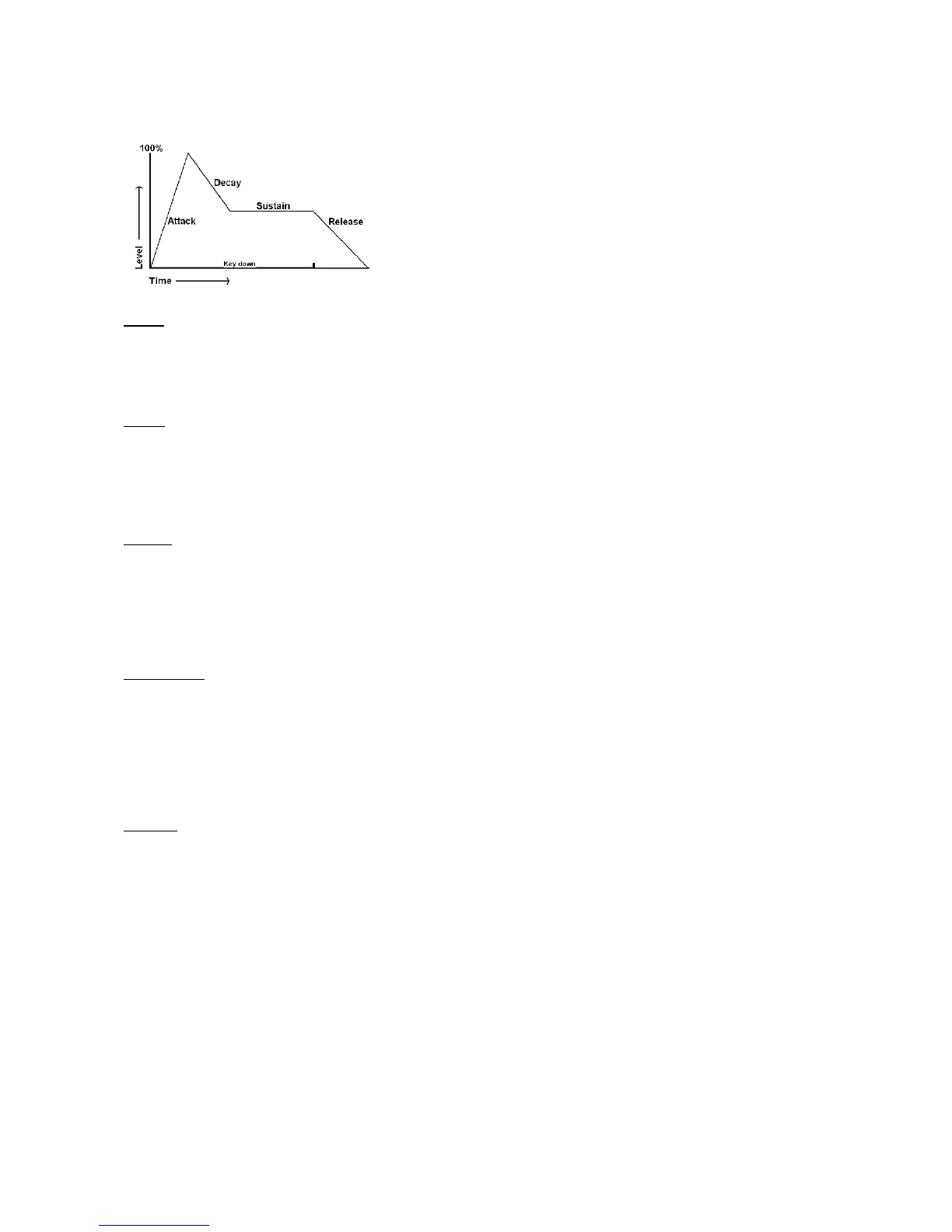
Attack
An envelope always rises from 0 to 100% and back down to
0% when the key is released.
Attack controls how fast it rises to 100%. So if you open the Attack knob, it takes longer to go from 0 to
100%.
With Attack closed, the envelope starts at 100%.
Decay
After the attack stage, with the envelope at 100%, the de
cay stage is reached.
Decay reduces the envelope level to the sustain level over a set time. So if you use a long decay, it takes
longer to reach the sustain level.
If the sustain level is 100% the Decay has nothing to fall to and so the sustain stage is
reached immediately
after the attack.
Sustain
This is the level of the sustain stage. After the attack & decay stage, the envelope reaches the sustain stage
and remains here for as long as you have a key pressed down. The sustain level is the level of thi
s sustain
stage.
Sustain level in the volume envelope means that the level of the volume parameter will stay as long as you
hold the key(s).
Sustain fade
If the fade is set to off, the sustain remains at the sustain level i.e. it is a classic sustain
If
you open the fade amount in a positive direction the sustain changes into a second attack.
So after the Decay reaches the Sustain level it starts rising to 100% again and the time it takes to reach
100% is set by the Fade time.
If you open the fade amount
in a negative direction the sustain changes into a second decay.
So after the Decay reaches the Sustain level it stars falling to 0% again and the time it takes to reach 0% is
set by the Fade time.
Release
After you have released a key (note) the release
stage starts. The envelope then decays from the sustain
level to 0% the time it takes is set the release knob.



 To Next Page