If you need any further advice, please call our Technical Helpline on :-
020 8758 0338 (Mon-Fri)
14
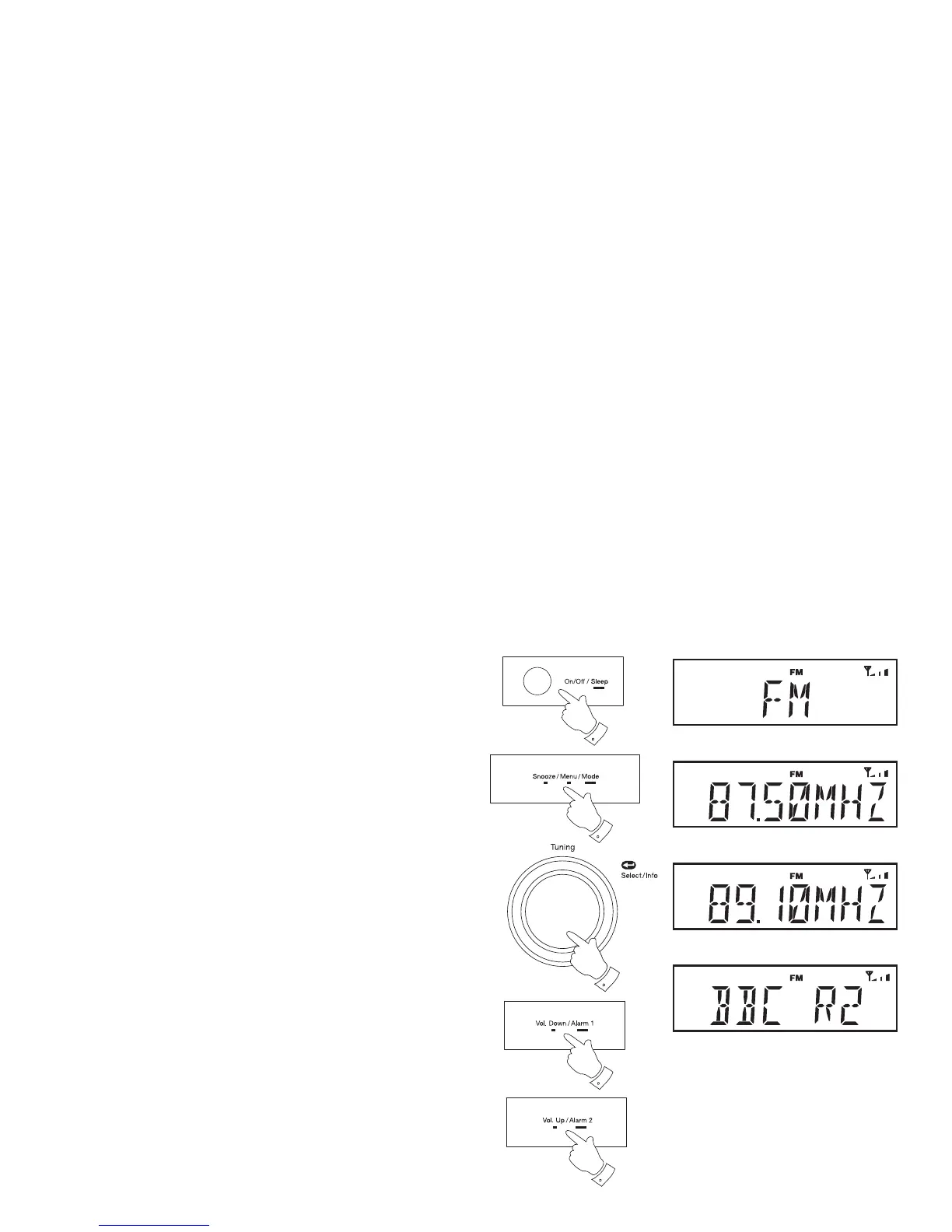
Manual tuning - FM
1. Fully extend the wire aerial located on the rear of your radio. Place
the wire antenna so that it is as straight as possible extending either
above or below the radio.
2. Press and release the On/Off button to switch on your radio.
3. Repeatedly, press and hold the Mode button until the FM mode is
selected.
4. Rotate the Tuning control to tune to a station. The frequency will
change in steps of 50kHz.
If the radio is tuned to a station of suffi cient signal strength with RDS
information present, then the display may change to show the station
name.
5. When the waveband end is reached the radio will recommence tuning
from the opposite waveband end.
6. Set the Volume to the desired setting.
7. To switch off your radio press and release the On/Off button.
2,7
3
4
6
6















 To Next Page