29
Setting the clock format
The clock display used in standby mode and when the radio is in use can be
set to 12 or 24 hour format. The clock format can only be set while the unit
is playing. The selected format is then also used when setting the alarms.
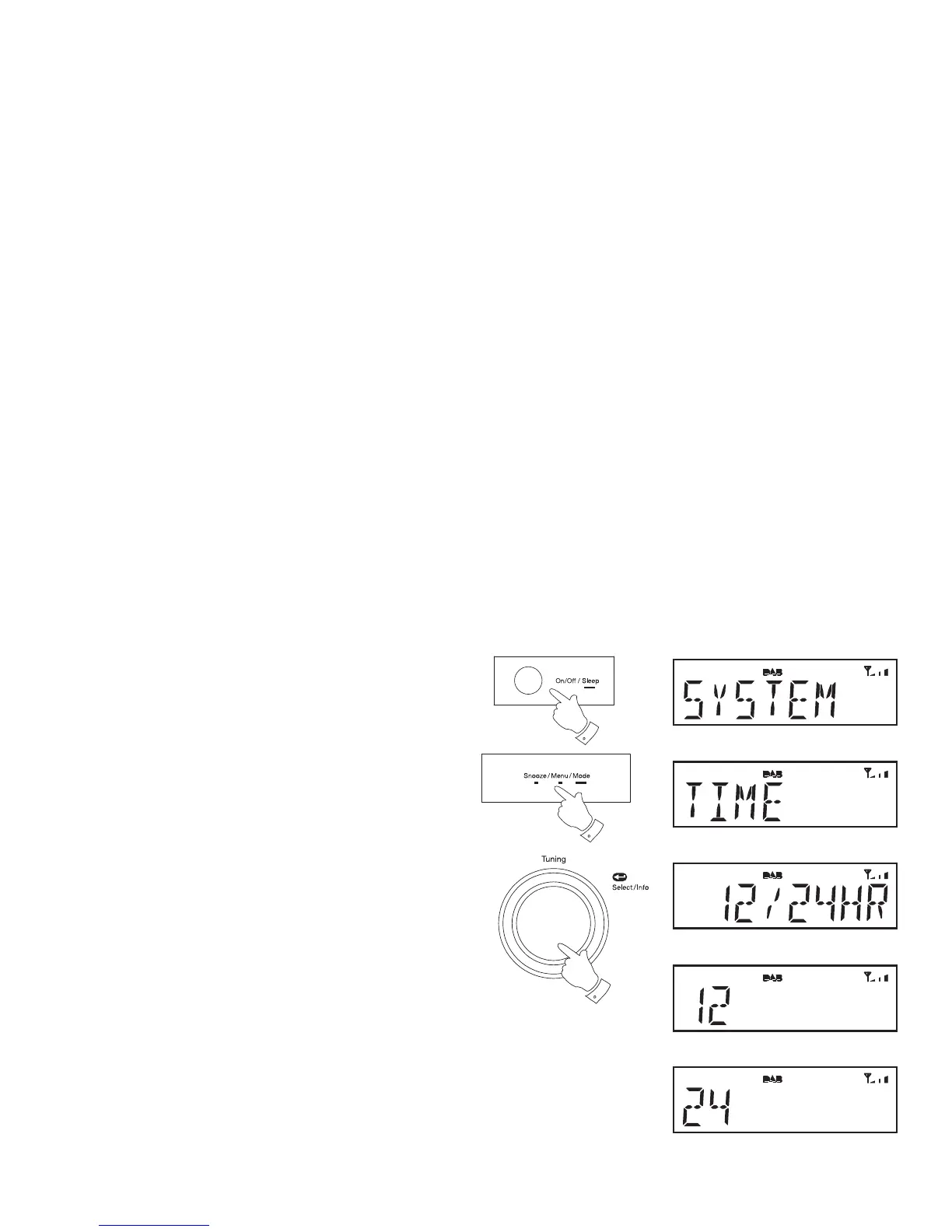
1. Press and release the On/Off button to switch on the radio.
2. To set the clock format, press and release the Menu button. The
advanced menu will show on the display.
3. Rotate the Tuning control until 'SYSTEM' appears on the display.
Press and release the Tuning control.
4. Rotate the Tuning control until 'TIME' appears on the display. Press
and release the Tuning control.
5. Rotate the Tuning control until '12/24 HR' appears on the display.
Press and release the Tuning control.
6. Rotate the Tuning control to display either 12 or 24 hour format.
7. Press and release the Tuning control to confi rm setting.
If the 12 hour clock format is chosen, the radio will then use the 12 hour
clock for the setting of alarms, and will display a 12 hour clock with an AM
or PM indicator on the display.
1
2
3-7















 To Next Page