25
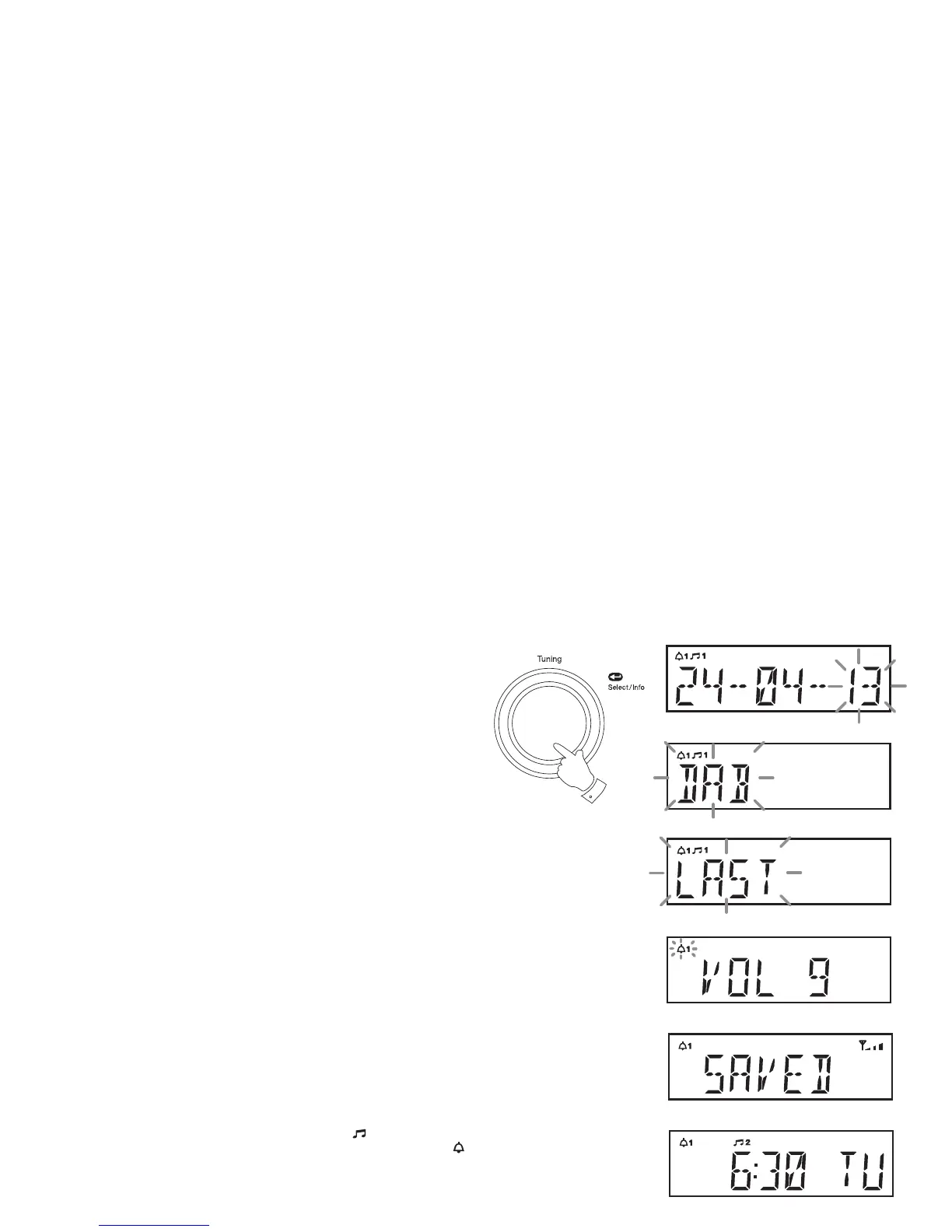
16. Press and release the Tuning control to enter the alarm month setting.
The alarm year will fl ash on the display.
17. Rotate the Tuning control to choose the alarm year.
18. Press and release the Tuning control to enter the setting. The alarm
source option will fl ash on the display.
19. Rotate the Tuning control to choose the desired alarm source (DAB,
FM, BUZZER).
If setting the alarms to the radio option, the radio alarm may be set to
the last listened radio station or any of the stations which have been
stored as presets.
Rotate the Tuning control to choose either 'LAST' to wake up to the
last listened radio station or from a preset on the display.
Note: That you can only set the alarm to use a preset which has
already been stored. Please see 'Presetting stations' page 17.
20. Press and release the Tuning control. The volume setting will show
on the display.
21. Rotate the Tuning control to choose the desired alarm volume. The
radio uses the saved volume settings for each radio alarm when it
sounds.
22. Press and release the Tuning control to confi rm the alarm settings.
'SAVED' will show on the display before exiting the alarm setup.
Radio alarms are indicated in the display by the
symbol and the
corresponding alarm number. Buzzer alarms are indicated by the
symbol and the corresponding alarm number.
16-22















 To Next Page