18
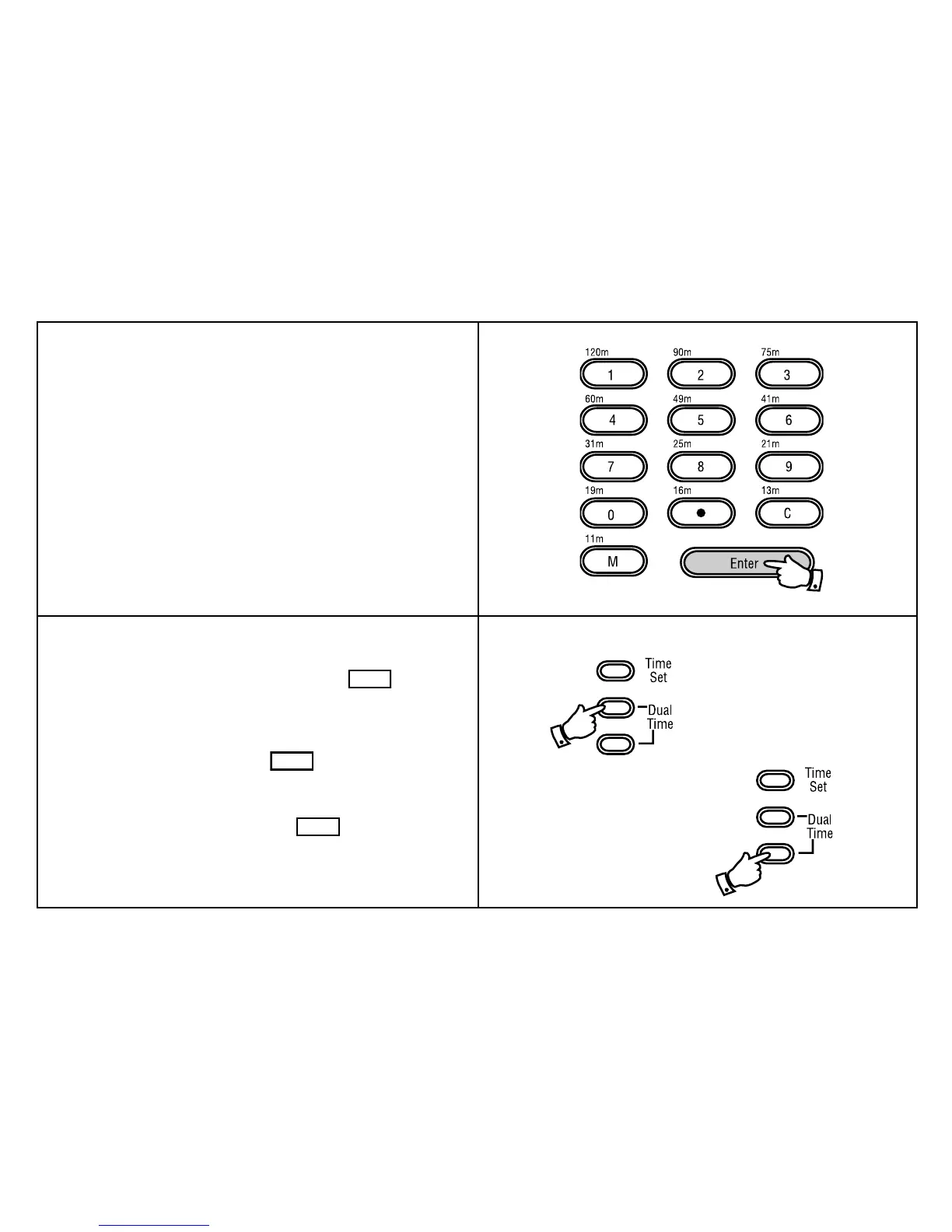
5. Press the "Enter" button to complete setting the dual time, the
display will now show the correct time.
6. Press the lower recessed "Dual time" button to return the display to
real time.
Note:
a. To temporarily change between real and dual time mode press and
hold down the upper "Dual time" button. The
DUAL
symbol and
dual time will be shown in the display. Release the button to return
the display to normal time.
b. To permanently change the display to dual time mode press the lower
recessed "Dual time" button. The
DUAL
symbol and dual time will
be shown in the display.
c. To permanently change the display back to real time mode press the
lower recessed "Dual time" button. The
DUAL
symbol will disappear
and normal time will be shown in the display.



 To Next Page