42
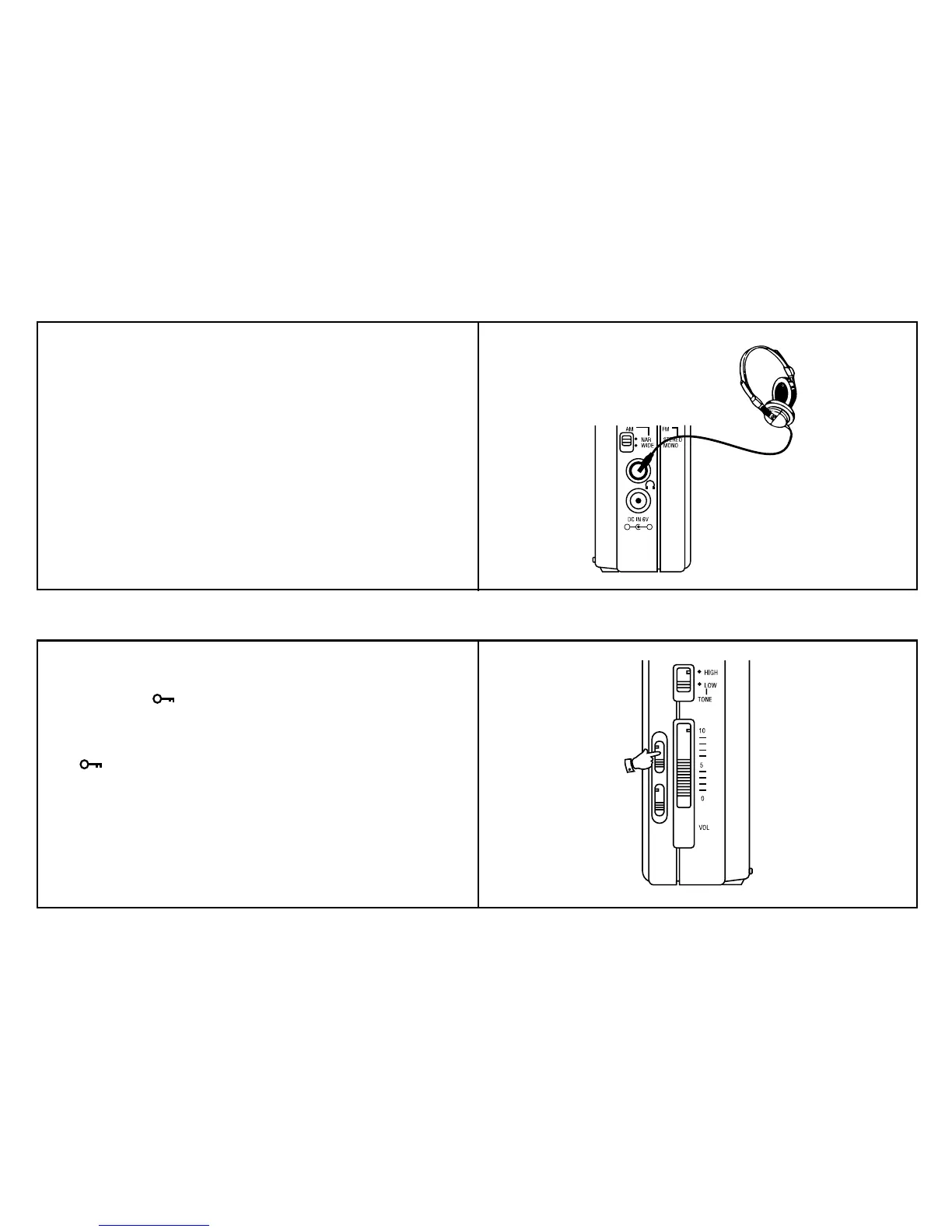
Headphones
+ -
Headphones for use with this radio should be stereo and fitted with a
3.5mm stereo jack plug. Insert the headphone plug into the socket
marked on the left side of the radio. When the headphones are plugged
in the loudspeaker is automatically disconnected.
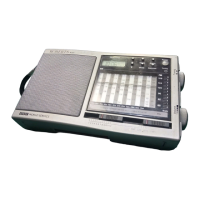
Lock switch
The "Lock" switch is use to prevent unintentional operation of the radio.
1. Set the "Lock" switch located on the right side of the radio to the up
position, the symbol will appear in the display. The "Power"
and all other buttons will be disabled. This will prevent accidental
operation when the radio is packed in a suitcase or carrying pouch.
To release the "Lock" switch, move the switch down. The
symbol will be removed from the display.



 To Next Page