32
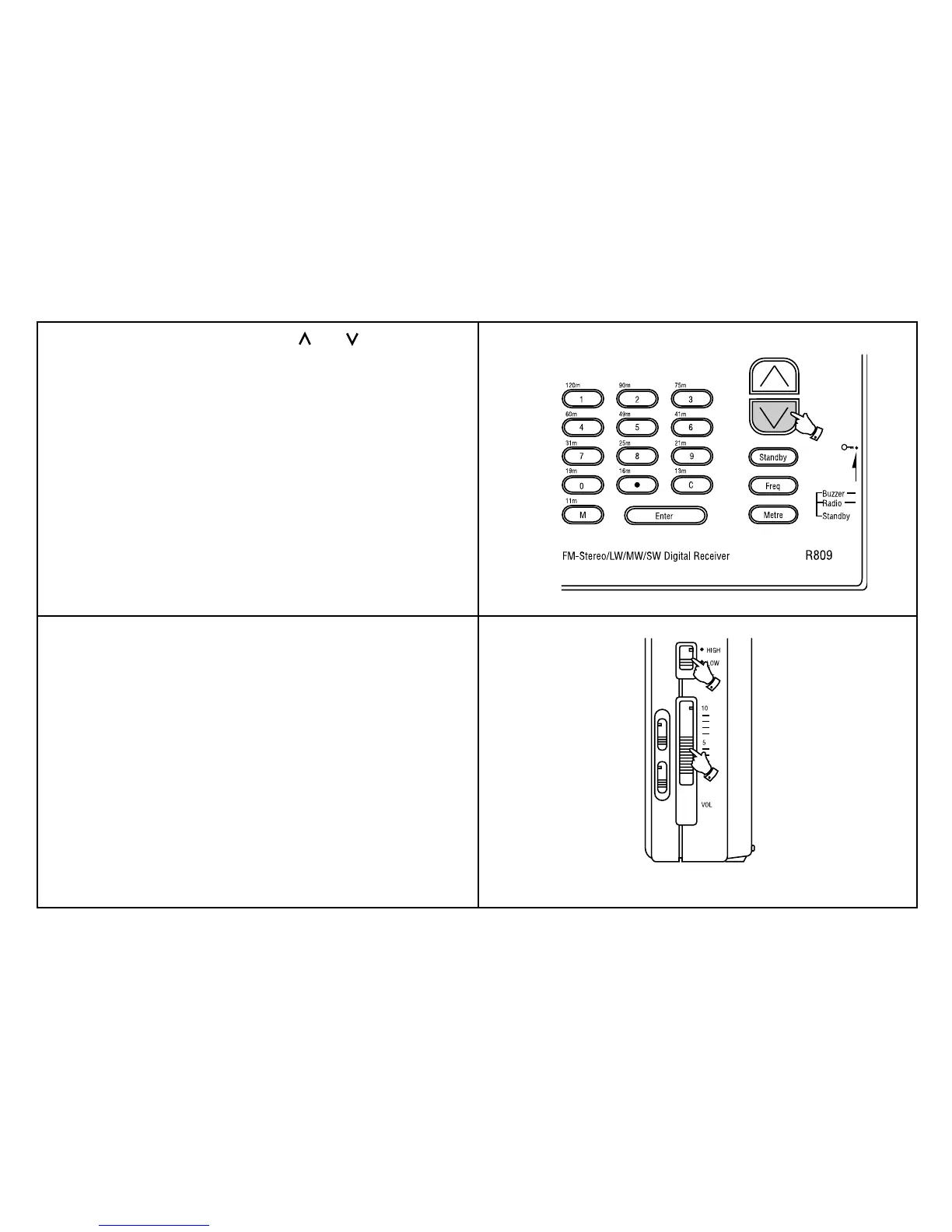
4. Press and hold down either the tuning [ ] or [ ] buttons for more
than half a second to resume scan tuning. When the waveband end
is reached the radio will beep and continue tuning from the opposite
waveband end.
Note:
Due to differing channel frequencies on LW in Europe, the receiver
may not stop on precisely the correct frequency when tuning on LW.
e.g. LW BBC radio 4 will stop on 200kHz instead of 198kHz.
In these instances set the "Tuning Speed" control to the slow position
and rotate the "Tuning" control knob to retune to the correct frequency.
Once found the correct frequency can be stored in memory as described
on page 33.
5. Adjust the "Volume" and "Tone" controls for comfortable listening.



 To Next Page