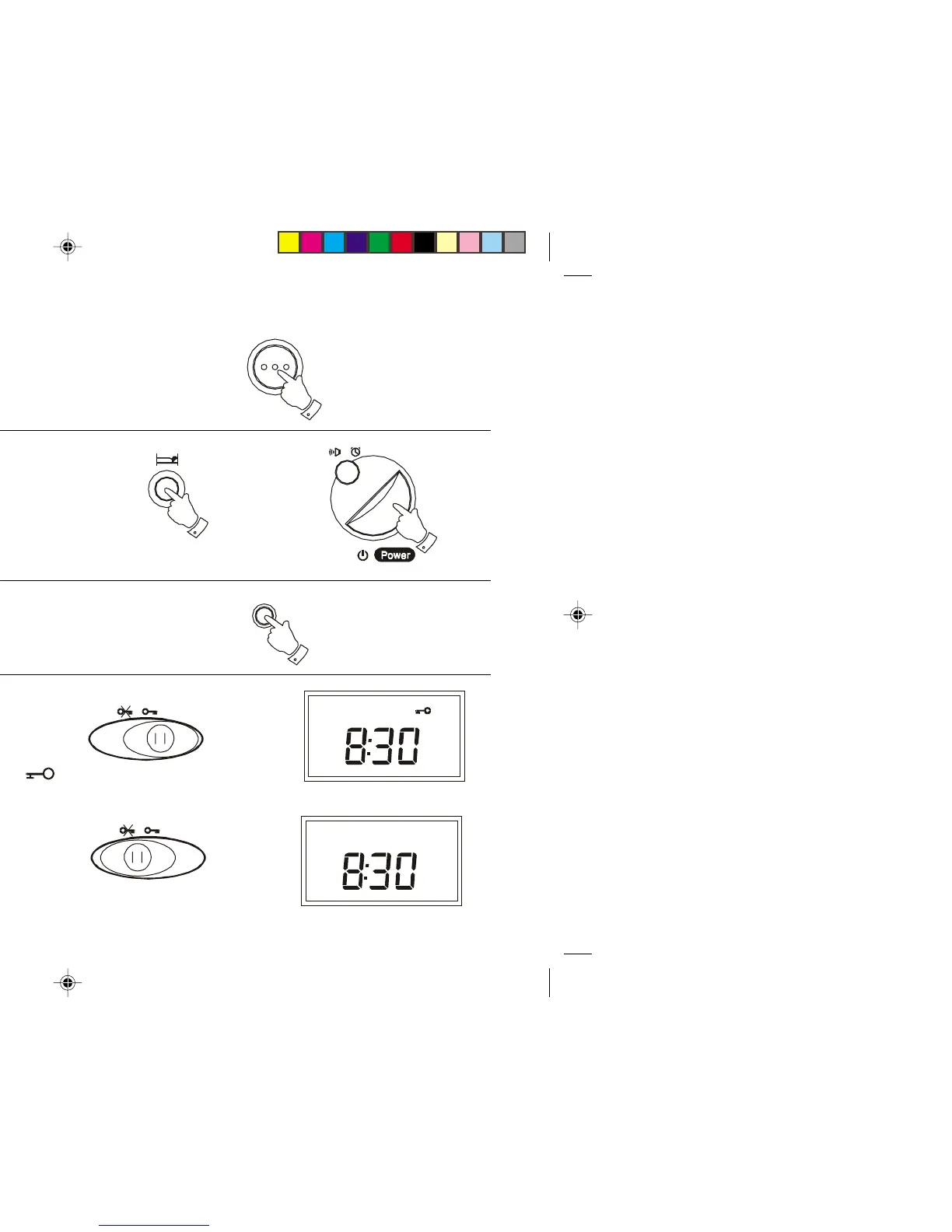
Snooze control
1. The radio or buzzer alarm can be silenced for 5 minutes by pressing
the Snooze button. This sequence can be repeated during the 90
minute alarm period.
S nooze
Sleep timer
The radio can be set to turn off after a preset time has elapsed.
1. Press and hold down the Sleep button until the desired time is reached
(maximum 90 minutes in 10 minute steps). The radio will switch off after
the sleep time has elapsed.
2. To cancel the sleep function before the preset time has expired, press
the Power button.
Display backlight
1. Press and hold down the Light button to illuminate the display.
Light
Lock Switch
The Lock switch located on the underside of your radio is used to prevent
unintentional operation.
1. Slide the Lock switch to the right-hand 'locked' position, the
symbol will appear in the display. The Power and all other buttons will
be disabled. This will prevent accidental operation when the radio is
packed in a suitcase. To release the Lock switch move the switch to
the left-hand 'unlocked' position, the symbol will be removed
from the display.
11
R9905 Instruction Book.pm6 24/10/99, 14:2112



 To Next Page