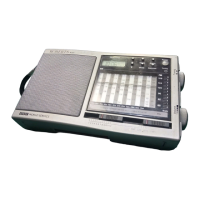
Operating your radio - search tuning
1. Switch on your radio by pressing the Power button.
2. Set the Waveband switch to the required waveband. The waveband
selected will appear in the display. On FM fully extend the Telescopic
aerial. On MW and LW rotate your radio for best reception.
3. Press and hold down either the Tuning + or - buttons until the
frequency in the display begins to change rapidly. Release the button.
4. Your radio will scan the selected waveband, stopping each time it finds
a station of sufficient strength. Adust the Volume control to the
required level.
5. To search for additional stations repeat the above procedure. Search
tuning may be stopped by a single press on either the Tuning + or -
buttons.
6. Press the Power button to turn off your radio.
FM
MW
LW
Tuning
Operating your radio - manual tuning
1. Switch on your radio by pressing the Power button.
2. Set the Waveband switch to the required waveband. The waveband
selected will appear in the display. On FM fully extend the Telescopic
aerial. On MW and LW rotate your radio for best reception.
3. A single press on either the Tuning + or - buttons will change the
frequency up or down. The frequency steps are:- FM 50kHz, MW 9kHz
and LW 1kHz. Adust the Volume control to the required level.
4. Press the Power button to turn off your radio.
FM
MW
LW
Tuning
7
R9905 Instruction Book.pm6 24/10/99, 14:218



 To Next Page