If you need any further advice, please call our Technical Helpline on :-
020 8758 0338 (Mon-Fri)
Operating your radio using RDS (Radio data system)
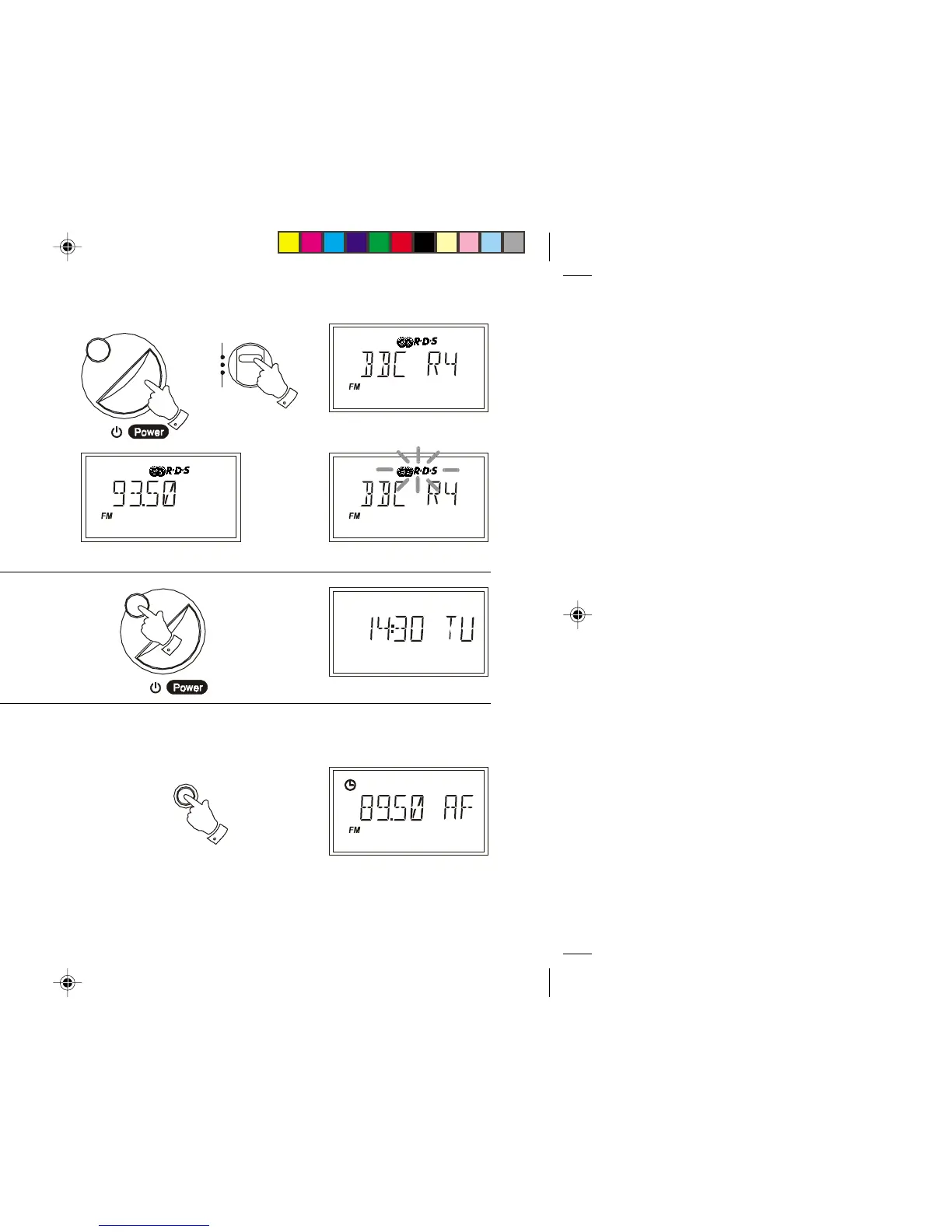
1. Switch on your radio and select the FM waveband.
2. Tune into a station, the display will indicate frequency for two seconds
and then change to show the station name. The symbol will
appear in the display
3. If the station does not carry RDS information only the station frequency
will be shown.
Note: the indicator will flash if the signal is too weak for RDS
operation.
Alternate Frequency (AF)
The RDS system provides a list of alternative frequencies for the station you
are tuned to.
1. Switch on your radio and select the FM waveband. Tune into a station
carrying RDS information.
2. Press the AF button, your radio will scan the list of alternate
frequencies and select the one giving best reception. If AF information
has not yet been received or is not provided by the station you are
listening to, the radio will remain at the current frequency and the
display will indicate 'NO AF'
Display Modes
1. Whilst tuned to an RDS station you can change between station name
and normal time display by pressing the Display button.
FM
MW
LW
Display
Display
AF
16
R9906 Instruction Book.pm6 24/10/99, 14:2217



 To Next Page