When batteries are installed for the first time the
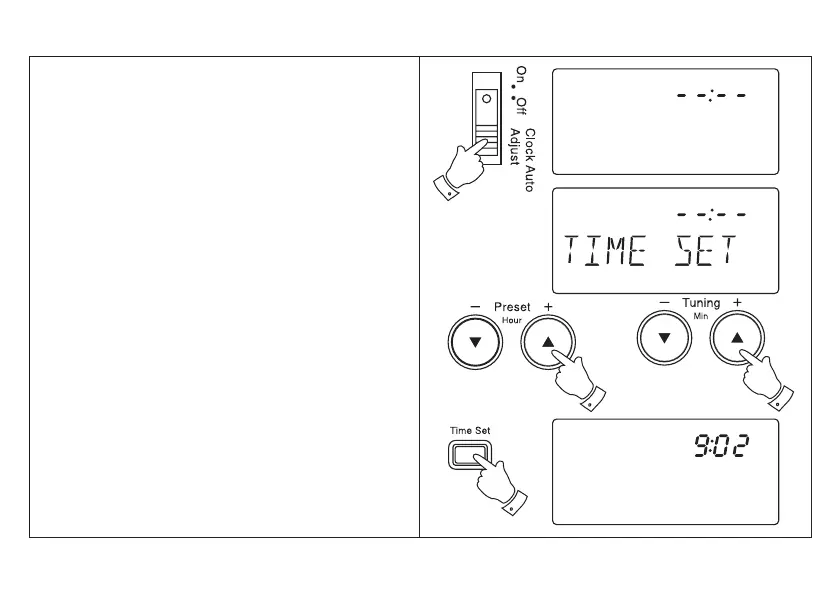
display will show - - : - -.
Time can be manually set with the radio switched on
or off. The clock uses the 24 hour system e.g. 2:00pm
is shown as 14:00.
1. Slide the Clock auto adjust switch to the ‘Off’
position
2. Press and release the Time set button , the display
will show ‘TIME SET’ .
3. The clock uses the 24 hour system e.g. 2:00pm is
shown as 14:00. Set the correct hour using the Hour
+ and - buttons.
4. Set the correct minute using the Minute + and -
buttons.
5. Press and release the Time set button to complete
time setting.
6. The display will show the correct time.
Setting the clock time manually
8



 To Next Page