Note: Clock uses 24 hour system.
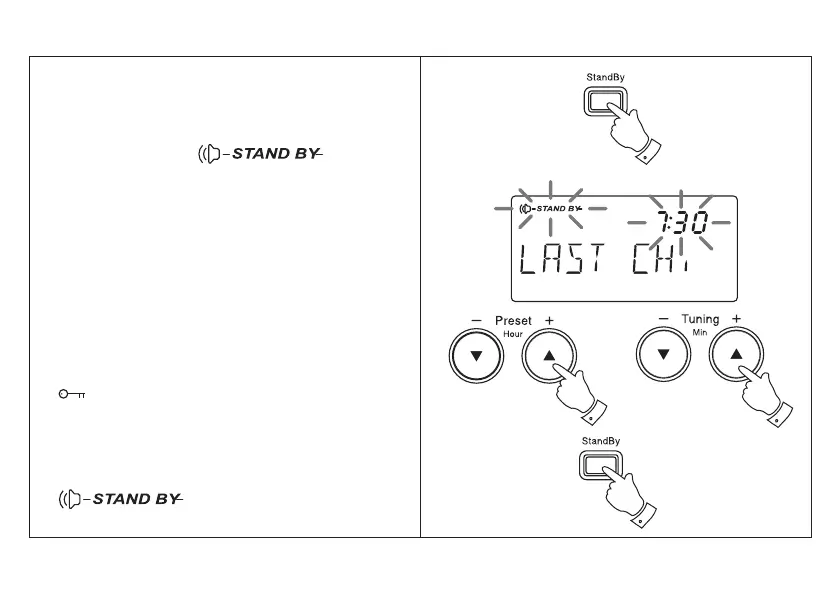
1. Repeatedly press and release the Standby
button until the display shows ‘Last CH’.
2. Whilst the display symbol
is flashing set the required hour using the Hour
+ and - buttons.
3. Set the required minute using the Minute +
and - buttons. Press and release the Standby
button to complete alarm setting.
4. At the preselected time the radio will switch
on to the last station listened to. The alarm
may be turned off for 24 hours by pressing
the Power button.
5. Pressing any other button (except Standby or
) whilst the alarm is sounding will activate
the snooze function. The alarm will be silenced
for 5 minutes.
6. To permanently cancel the alarm repeatedly
press and release the Standby button until the
symbol is removed from the
display.
Setting the radio alarm
10



 To Next Page