You may store up to 9 stations on FM, 9 on MW and 9
on SW giving a total of 27 preset stations.
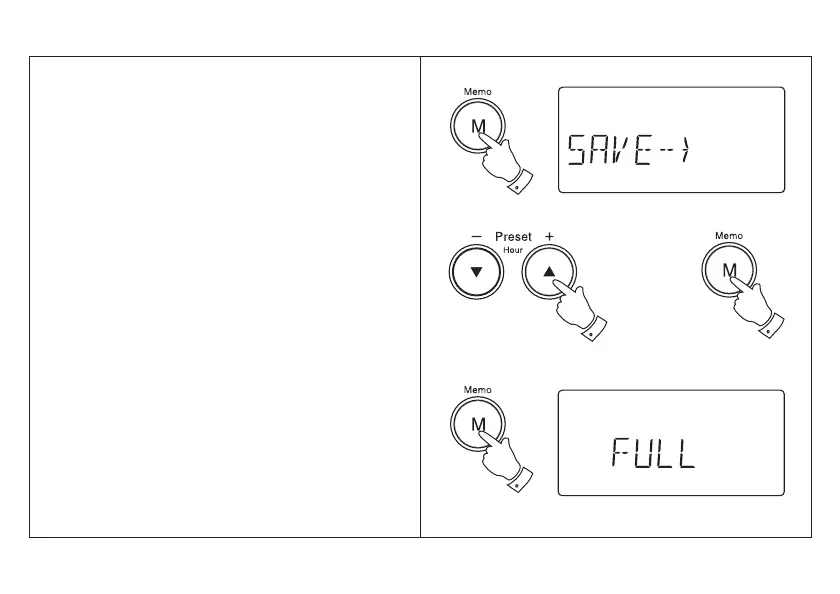
1. Tune into the required station using one of the
tuning methods previously described.
2. Press and release the Memo button, the word
SAVE - -> will appear in the display.
3. Select the preset under which you wish to store
the station using the Preset + and - buttons.
4. Press and release the Memo button to store the
station. The preset number will now appear at the
bottom of the display.
5. Repeat the procedure for the remaining presets.
Note: Presetting of stations can only be carried out
whilst the word SAVE - -> is showing in the display
(5 seconds).
6. If all the preset memory locations are full pushing
the Memo button will cause the display to show
‘FULL. If you still want to store a new station press
the Memo button and continue from step 3.
Presetting stations
14



 To Next Page