53
Setting the clock
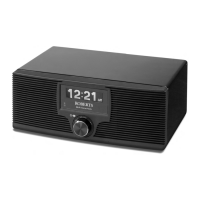
Normally the WM-202 Internet radio will set its clock automatically to UK
time after a connection to the Internet has been established. Should you
need to set the time manually, please follow this procedure.
1. Press the On/Off
button to switch on your radio.
2. Access the main menu by pressing the Menu button until the 'Main menu'
option is shown, then select this with the Tuning/Select control.
3. Rotate the Tuning/Select control until 'System setup' is highlighted
on the display. Press the control to enter the system setup menu.
4. Rotate the Tuning/Select control until 'Time setup' is highlighted on
the display. Press the control.
5. Rotate the Tuning/Select control until 'Set clock' is highlighted on the
display. Press the control to enter the clock setup. The hour digits will
flash.
6. Rotate the Tuning/Select control until the correct hour is shown on
the display. Press the
control to enter the selection. The minute digits
will then flash.
7. Rotate the Tuning/Select control to select the correct minutes. Press
the control to enter the selection. The display will then return to the
previous menu.
2-7
1
2
WM-202 iss 1.indd 54 20/02/2008 13:04:05


 To Next Page
 Loading...