Day&Night IP Camera
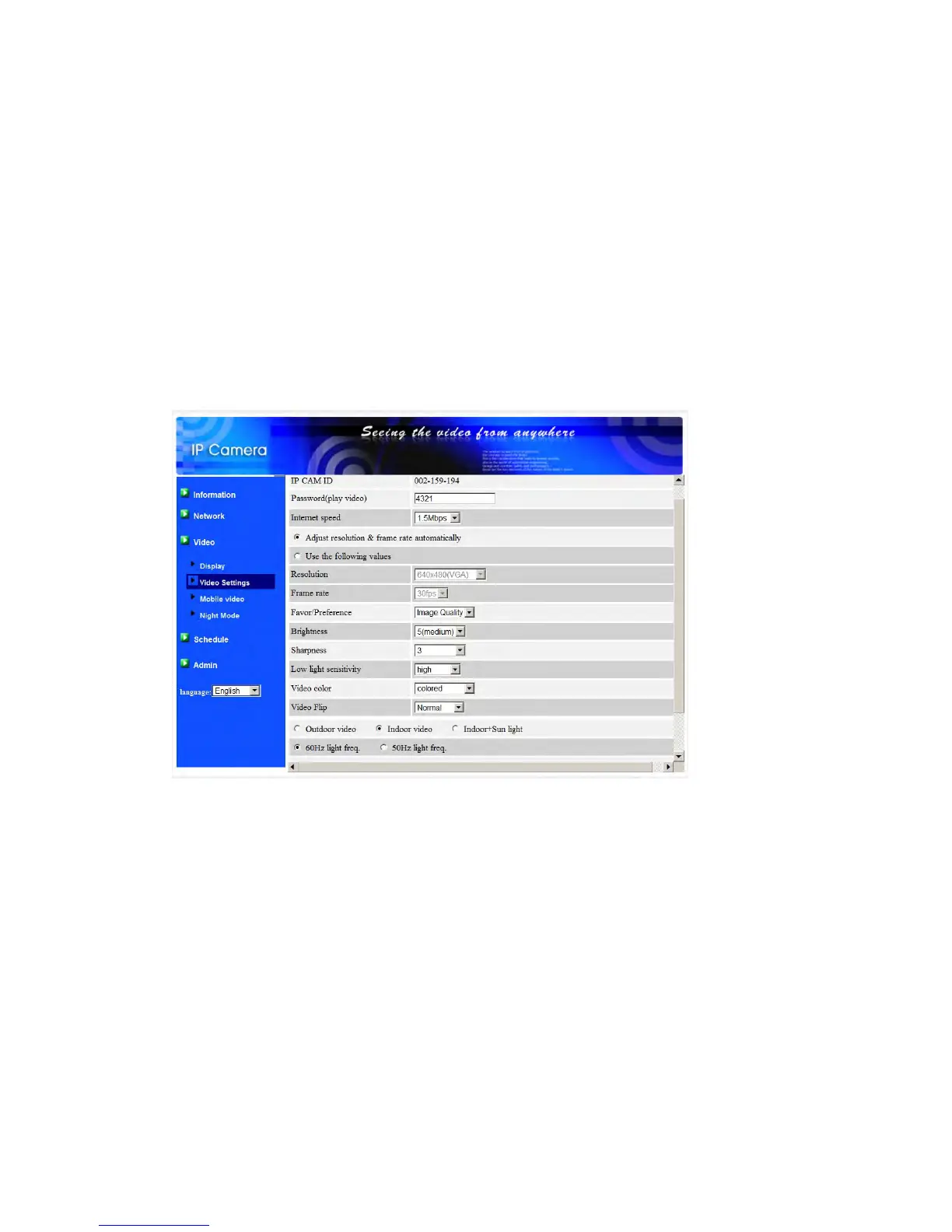
also note that in “Indoor video” setting, the video display of outdoor view is
very vague. For indoor usage, if there is strong sun light into the room, please
select the “Indoor+sun light” choice.
13. Enable/disable audio microphone – you can enable or disable the audio
microphone on the IP CAM. If disabled, there will be no voice on the PC/Phone
video viewing.
14.
Enable/disable time display on video – if enable
d, the date/time of the system will
be displayed on the left-upper corner of the video.
When this modification is “Save&Apply”ed, it works immediately, but all the
connected video viewing users will be disconnected.
Figure 3-12: Video settings page
26


 To Next Page