017
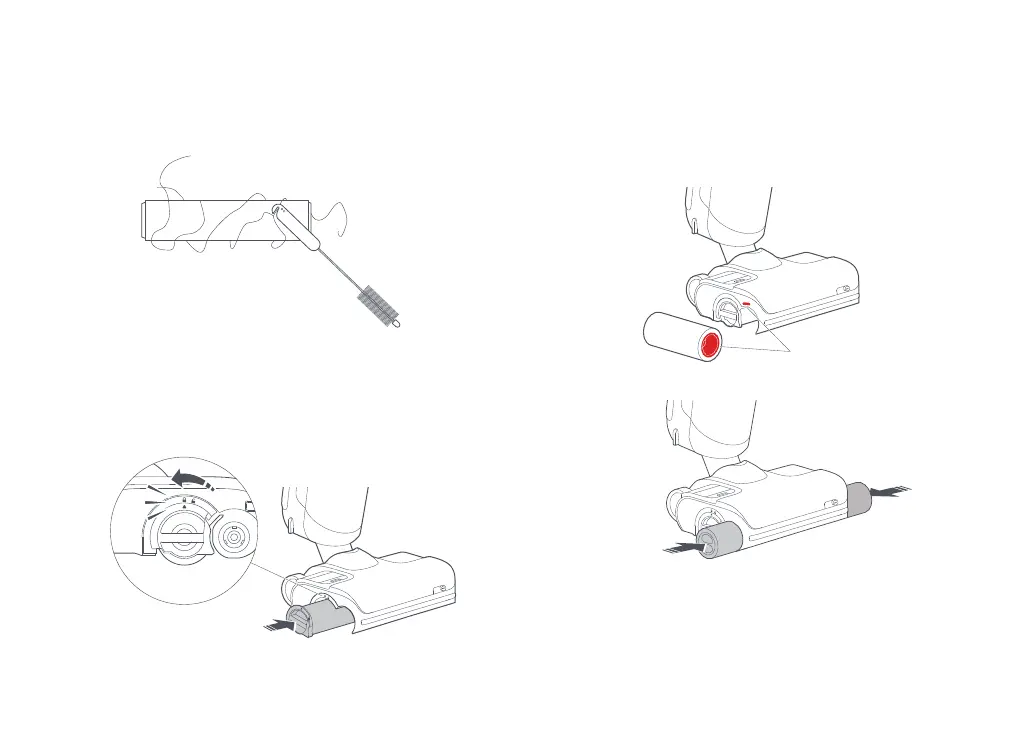
5. Cut off any hair entangled on the rollers and remove any debris
using the provided maintenance brush.
6. Insert the rear roller from the side, and then rotate the rear
roller cover from the unlock position to the lock position until it
clicks in place.
Note: Use the maintenance brush carefully to avoid injury.
Routine Maintenance
ClickClick
7. To install the front rollers, marked red and blue, on the correct
sides of the head. Pinch them with both hands and align them
with the front roller shaft. Push inward to install properly.
Red







 To Next Page