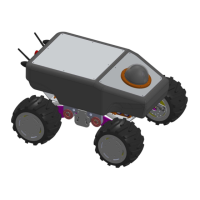
Kobuki Turtlebot II. User’s Manual
$> sudo apt-get install ros-kinetic-astra* (for the camera astra
)
$> sudo apt-get install ros-kinetic-urg-node (for the hokuyo lasers
)
Rosdep
Install all dependencies of kobuki_node
$> sudo rosdep init
$> rosdep update
ROS environment variables
$> echo "source /opt/ros/kinetic/setup.bash" >> ~/.bashrc
$> source ~/.bashrc
Set udev Rule
Copy across a udev rule for /dev/kobuki
and add the user to the dialout group (you may
need to logout and log back in). See kobuki_ftdi
for more details.
$> roscd kobuki_ftdi
$> rosrun kobuki_ftdi create_udev_rules
$> sudo udevadm trigger
For the Astra cameras
It is possible to copy or following the installation instructions at
https://github.com/tfoote/ros_astra_camera.
$> cd /etc/udev/rules.d/
Create a new file as sudo:
$> sudo gedit 56-orbbec.rules
Copy the following lines:
SUBSYSTEM=="usb", ATTR{idProduct}=="0400", ATTR{idVendor}=="2bc5", MODE:="0666", OWNER:="root",
GROUP:="video"
SUBSYSTEM=="usb", ATTR{idProduct}=="0401", ATTR{idVendor}=="2bc5", MODE:="0666", OWNER:="root",
GROUP:="video"
SUBSYSTEM=="usb", ATTR{idProduct}=="0402", ATTR{idVendor}=="2bc5", MODE:="0666", OWNER:="root",
GROUP:="video"
SUBSYSTEM=="usb", ATTR{idProduct}=="0403", ATTR{idVendor}=="2bc5", MODE:="0666", OWNER:="root",
GROUP:="video"
SUBSYSTEM=="usb", ATTR{idProduct}=="0404", ATTR{idVendor}=="2bc5", MODE:="0666", OWNER:="root",



 To Next Page