12
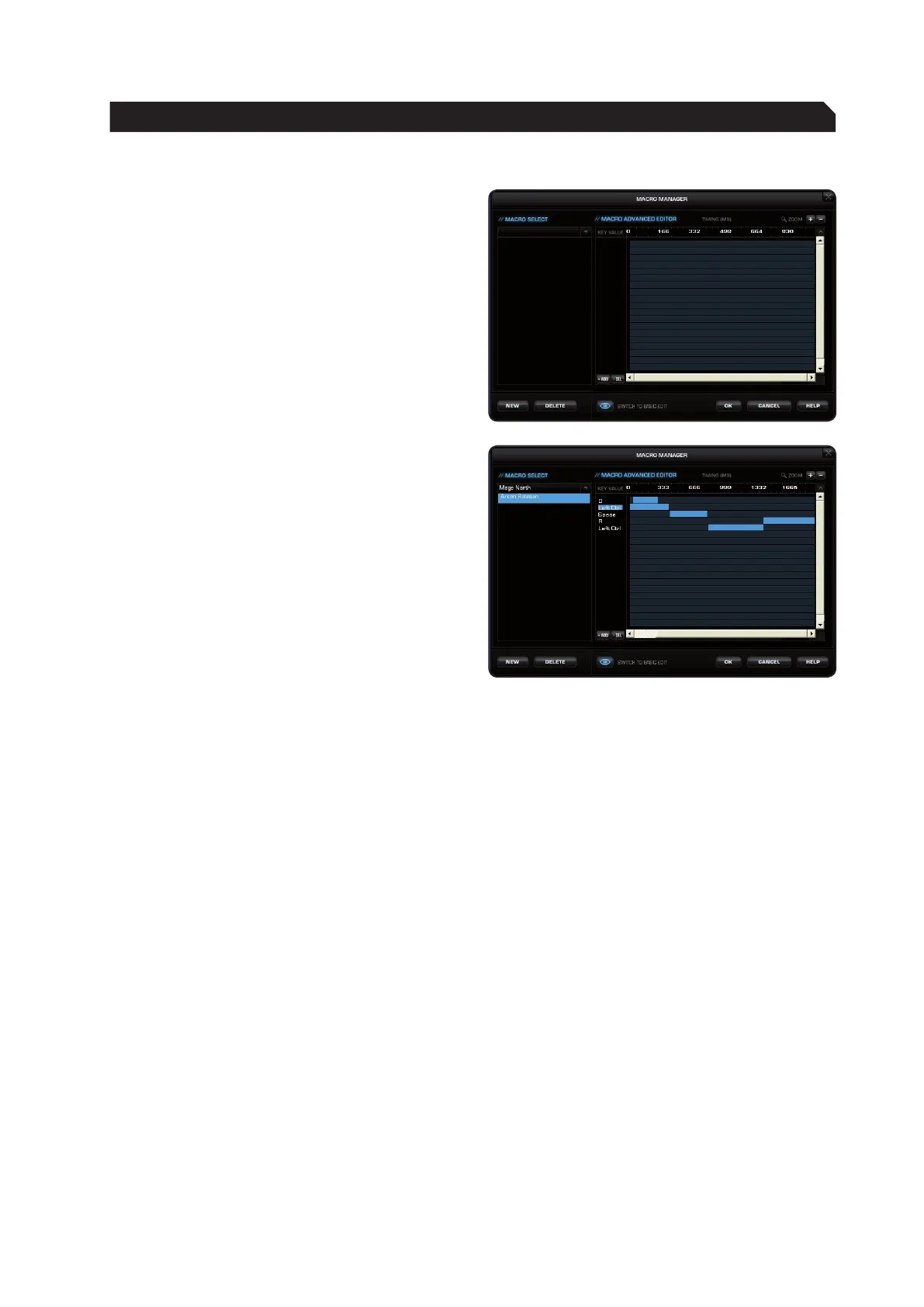
Switch to advanced editor
In the center window it’s possible to manually
change the time intervals between the individual
key presses of a particular macro. Individual
blue bars show the length of time the respective
button has been pressed for. Along with the
duration, you can also change the position of
the pressed key here. The default timeline is in
milliseconds: (0.05 / 0.10 / 0.15 … seconds).
You can change the timescale of the display for
increased accuracy. Using the plus button to the
right of the window you can zoom into the scale
to make really precise adjustments to the time
value. It’s also possible to delete or add individual
macros. To do that, click the point in the macro
list where you want to insert an additional macro
and then click ‘Add’. If you want to delete a key,
click the key and then click ‘Del’. Confirm the
process by clicking ‘Ok’.
It’s also possible to delete entire macro sets.
To do that, you need to select ‘Delete Macro Set’
from the dropdown menu. Here too, you must
confirm final deletion of the set and all its assigned
macros by clicking ‘Ok’.
MACRO MANAGER



 To Next Page