9
RF-SBM102
STEP 4 - Determine the TV screw diameter
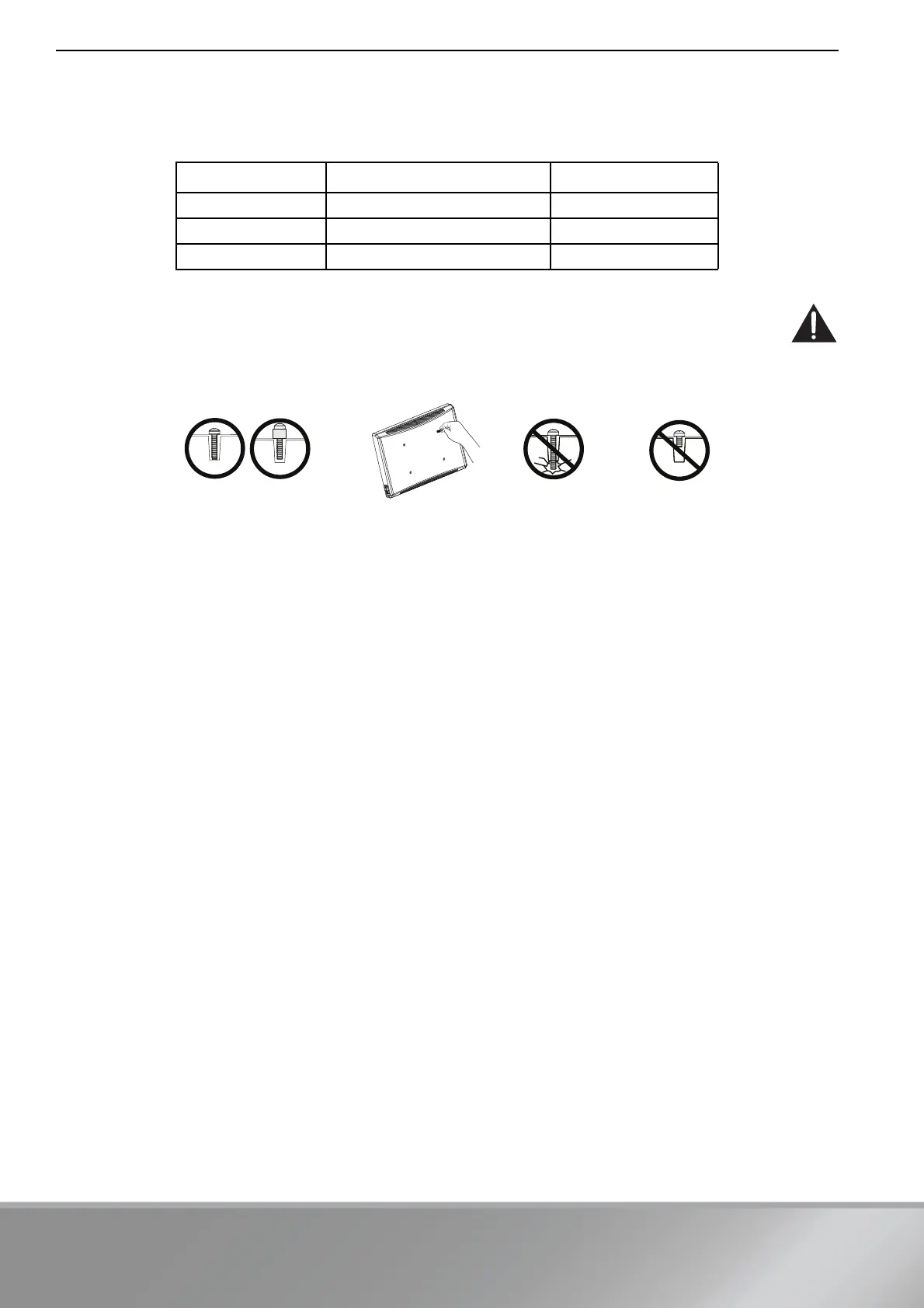
1 Determine the screw diameter that fits the back of your TV. If you don't know the correct diameter of the mounting
screws your TV requires, test various sizes by hand threading the screws.
Select the screws that fit:
CAUTION: To avoid potential personal injuries and property damage, make sure that the screws have adequate
threads to secure the washer and spacer combination AND all brackets. If you encounter resistance, stop immediately
and contact customer service. Using hardware that is too long may damage your TV. However, using a screw that is
too short may cause your TV to fall from the mount.
2 Remove the screws.
Screw type Part number Quantity
M4 05 or 06 4
M6 07 or 08 4
M8 09, 10, 11, or 12 4
Screw is
too long
Screw fits
correctly
Screw is
too short



 To Next Page