EasyManua.ls Logo

RocketFish RF-WHP212 - User Manual

RocketFish RF-WHP212
24 pages
Print Icon
To Next Page IconTo Next Page
Loading...
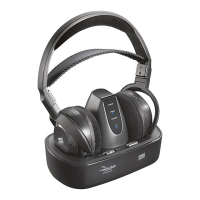
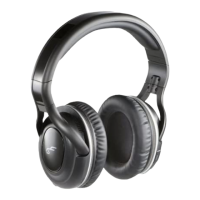
2.4 GHz Digital Wireless
Stereo Headphones
RF-WHP212
User Guide
RF-WHP212_12-0593_MAN_V3.fm Page 1 Thursday, May 31, 2012 7:40 AM

Other manuals for RocketFish RF-WHP212

Questions and Answers

  • A
    achenAug 13, 2025
    Why is there no communication between my RocketFish Headphone and docking station?
    • S
      smithjosephAug 13, 2025
      If your RocketFish Headphone and docking station aren't communicating, verify that the AC adapter is connected to the docking station and that the docking station is turned on. Ensure the headphone batteries are correctly installed and charged. Check that the POWER/PAIRING indicator on the headphones and the PAIRING indicator on the docking station are on; if they are lit solidly, a communication link has been established. Also, turn off the internal speakers of your audio sound source.
  • M
    Margaret BrooksOct 28, 2025
    What to do if my RocketFish Wireless Headphones are not working?
    • M
      Michael BatesOct 29, 2025
      If your RocketFish Wireless Headphones aren't turning on, ensure the batteries are correctly installed and charged. Try power cycling the docking station by unplugging it and plugging it back in, or try another power outlet. Also, check that the headphone charging contacts and the docking station charging pins are making good contact. Make sure the volume level of the headphones or audio sources connected to the docking station is appropriately adjusted and that all cables are correctly connected. Ensure the POWER/PAIRING indicators on the headphones and PAIRING indicator on the docking station are lit solidly. Verify that your audio source isn't muted and its volume is at least 50%. Move the docking station to find the best reception, reduce the distance between the headphones and the doc...

Summary

Introduction

Safety Information

Product Features

Package Contents

Lists all items included in the product box for setup and use.

Headphones Back View

Docking Station Top View

Docking Station Connections

Setting Up Your System

Installing Headphone Batteries

Connecting the Headphones

System Connection Diagram

Connecting the AC Adapter

Using Your System

Charging the Headphones

Turning On The System

Listening To Headphones

Turning Off The System

Maintaining Your System

Troubleshooting

Specifications

Legal Notices

Disposal of Old Equipment

Provides guidance on environmentally responsible disposal of electronic equipment.

One-Year Limited Warranty

Warranty Exclusions and Contact

RocketFish RF-WHP212 Specifications

General IconGeneral
Impedance32 Ω
Driver unit50 mm
Headphone frequency20 - 20000 Hz
Headphone sensitivity98 dB
Continuous audio playback time10 h
Cables includedRCA
Audio adapters included3.5 mm, RCA
Frequency band2.4 GHz
Wireless range20 m
Connectivity technologyWireless
ManualYes
Product colorBlack
Wearing styleHead-band
Volume controlDigital

Related product manuals