12
Dual Tone Keyboard:
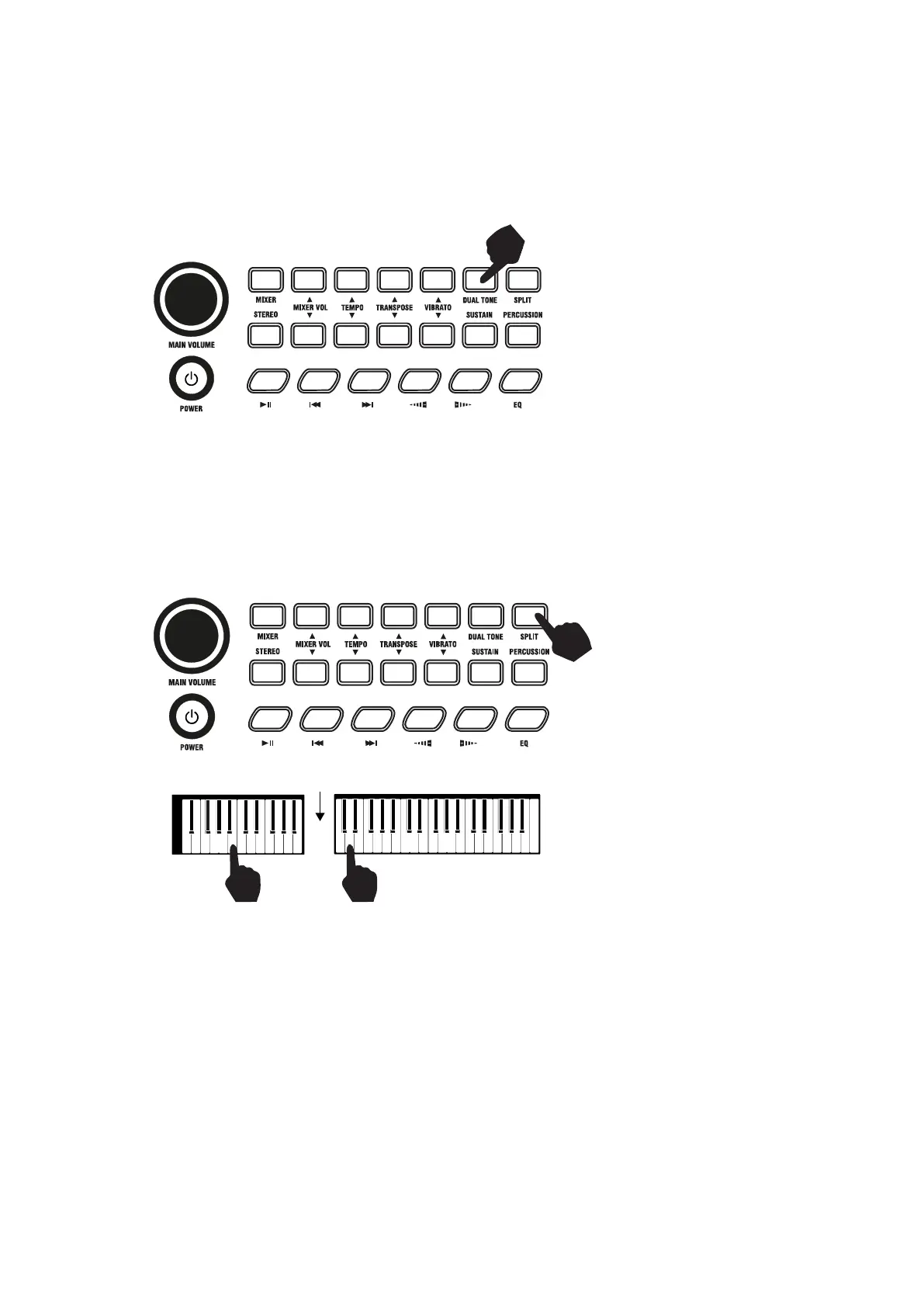
Dual Tone mode allows the keyboard to mix two tones and play them at the same time. To switch on Dual
Tone Keyboard mode touch the [DUAL TONE] button. The LCD display will show that Dual tone mode is
active by showing a flag indicator on the LCD. The first tone will be fixed as the tone that was selected before
the [DUAL TONE] button was pressed. The second tone can be freely selected by pressing the
corresponding digits on the numerical keypad or pressing + or -. Press the [DUAL TONE] button again to
exit Dual Tone mode.
Split Keyboard:
To switch on Split Keyboard mode press the [SPLIT] button. The keyboard will split into two keyboards at the
24th key from the left. In Split Keyboard mode the pitch of the left hand keys are raised by one octave. The
tone of the left keyboard can then be adjusted as required. Press the [SPLIT] button again to exit Split
Keyboard mode.
SPLIT KEYBOARD
DIVIDEPOINT
TONE 1 TONE 2


 To Next Page