9
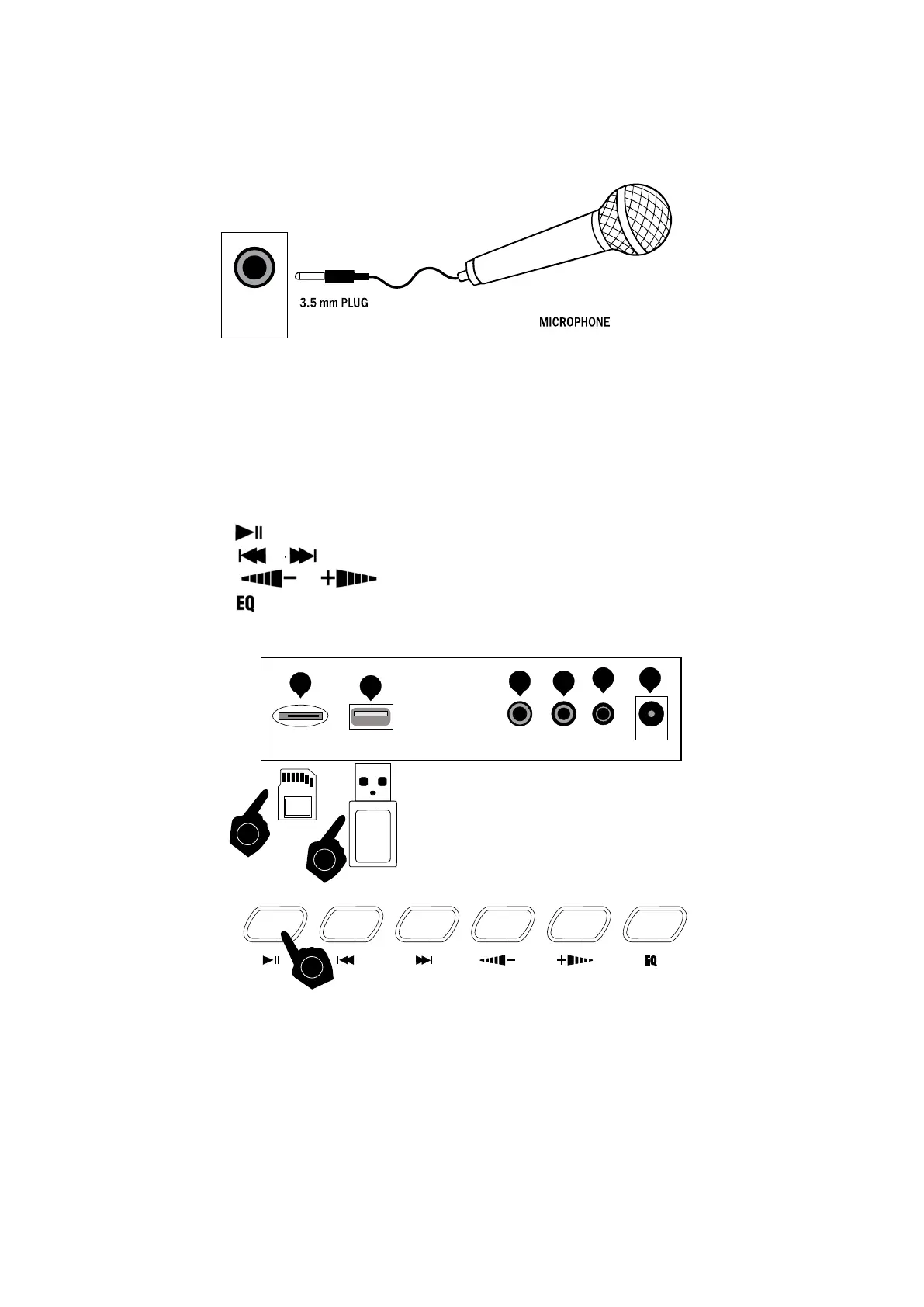
Connecting a Microphone:
Connect the 3.5mm microphone plug into the [MIC] jack on the rear of the keyboard. The microphone
should be an electret or condensor type.
Connecting a USB Flash-drive or MicroSD card:
To play MP3s through the Keyboard Speakers, place files onto either a USB flash-drive or MicroSD card.
Insert the card or USB drive into the input slot at the rear of the Keyboard. The first song will play
automatically.
• Touch the button to Play or Pause playback.
•
Touch the or buttons to go to the previous or next song
• Touch the or buttons to increase or decrease the playback volume
• Touch the button to adjust the playback tone. There are 6 different tone settings, each press will
cycle to the next setting.
MIC
1
USB AUX PHONES DCIN
1
2
3 4
MICMicroSD
5 6
1
2


 To Next Page