EasyManua.ls Logo

Rockville RCS650-6 - User Manual

Rockville RCS650-6
18 pages
Print Icon
To Next Page IconTo Next Page
Loading...
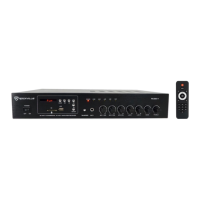
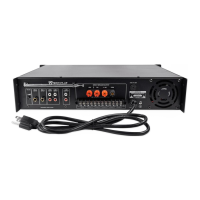
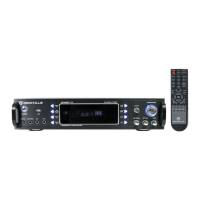
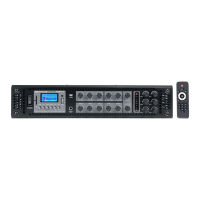
RCS650-6
19˝ RACK-MOUNTABLE 650-WATT
COMMERCIAL AMPLIFIER/RECEIVER
WHO READS MANUALS?
OWNER’S MANUAL
Instead, go to vimeo.com/518697328 or scan the QR
code and watch a short video that shows you how to set
this item up and how to use it.
If you prefer written instructions, please read ahead!
With Rockville you get many options.
Missing items? If you ordered a bundle that includes more than one product and you
are missing part of your bundle, then it just means your order shipped from two different
warehouses. You will receive the remaining items very soon. If you have any concerns
or inquiries, feel free to call our customer support center at 1-646-758-0144, Monday
through Thursday, 9am to 10pm EST, and Fridays, 9am to 3pm EST.

Questions and Answers

  • K
    Katrina ChavezJul 28, 2025
    What to do if my Rockville RCS650-6 Amplifier has no power?
    • M
      Miss Madison GravesJul 28, 2025
      If your Rockville Amplifier has no power, ensure the unit is plugged in and the power switch is in the ON position. Also, check that the power cable is properly plugged into the wall socket. Inspect the fuse and replace it if needed. Finally, check the power cable for any damage, and discontinue use until it's repaired if damage is found.
  • E
    Emily StuartAug 3, 2025
    Why does my Rockville RCS650-6 have no sound or distorted sound?
    • W
      wongkariAug 3, 2025
      If your Rockville Amplifier has no sound, low sound, or distorted sound, verify that all appropriate cables and wires are correctly plugged in. Check the Master volume, Zone volume, Microphone, Line input, and MP3 volume settings. Also, check the volume settings on your input devices and wall volume controls, if applicable. Ensure the proper input source is selected and that you are using the correct type of speakers wired correctly (plus to plus, minus to minus) to the correct outputs. Confirm that speaker transformer taps are set properly and that the speakers’ power ratings match the amplifier’s.
  • A
    aaron45Aug 10, 2025
    How to fix Bluetooth pairing issues with a Rockville RCS650-6?
    • A
      Angela EdwardsAug 10, 2025
      If you're experiencing Bluetooth pairing issues with your Rockville Amplifier, check that both devices are turned on and that your Bluetooth device is discoverable. Try turning both devices off and then on again. Ensure you’ve selected the proper source and that the Bluetooth device is within 5 feet of the unit. Move both devices away from other Bluetooth devices and make sure that the unit is not paired to a previously paired device.
  • L
    Lori ThompsonAug 15, 2025
    What to do if my Rockville Amplifier has mic feedback or poor sound?
    • X
      xharringtonAug 16, 2025
      To address mic feedback or poor sound with your Rockville Amplifier, point mics away from any nearby speakers. Also, make sure the microphones are on and the volume controls are properly set. Verify that the microphone cables are properly connected and that you are using good-quality TRRS mic-specific cables.
  • V
    Victoria MorganAug 21, 2025
    Why is my Rockville Amplifier not playing SD or USB?
    • N
      Natalie MitchellAug 21, 2025
      If your Rockville Amplifier is not playing SD or USB, make sure you’ve selected the proper source. Also, verify that the audio files are in the specified format: MP3, WAV. Ensure the USB drive’s/SD card’s capacity is not more than 32GB.

Summary

Important Safety Instructions

General Safety Precautions

Essential safety guidelines for operating the amplifier to prevent electrical shock and damage.

Functions Overview

Setup and Installation

Wire and Cable Selection

Guidance on selecting appropriate speaker wire gauge and input cables for optimal performance.

Multi-Zone 70 V Speaker Output

Connecting multiple 70V speakers to each zone for distributed audio.

Connection Examples

70 V;100 V Direct Speaker Connections

Wiring multi-speaker setups using 70V or 100V direct speaker output binding posts.

Operation and Playback

Troubleshooting Guide

Common Problem Resolutions

Solutions for issues like no power, distorted sound, buzzing, mic feedback, and playback errors.

Rockville RCS650-6 Specifications

General IconGeneral
Power Output650 Watts
Frequency Response10 Hz - 40 kHz
Signal to Noise Ratio> 100 dB
Dimensions19" x 11" x 3.5"
Peak Power650 Watts
InputsRCA
OutputsSpeaker terminals
Minimum Speaker Impedance2 Ohms
Low Pass Crossover50Hz - 250Hz
Impedance4 Ohms
Input Impedance10k Ohms
Power Supply12V
Input Sensitivity0.2V - 6V
Bass Boost0-18dB
Operating Voltage12V

Related product manuals