29ROCSTOR‐ROCPRO850usermanual
12. The“Volumelabel”canbechangedtoanynameupto11characters.
13. Suggestthat“QuickFormat”beselectedandthenclick“Next”.
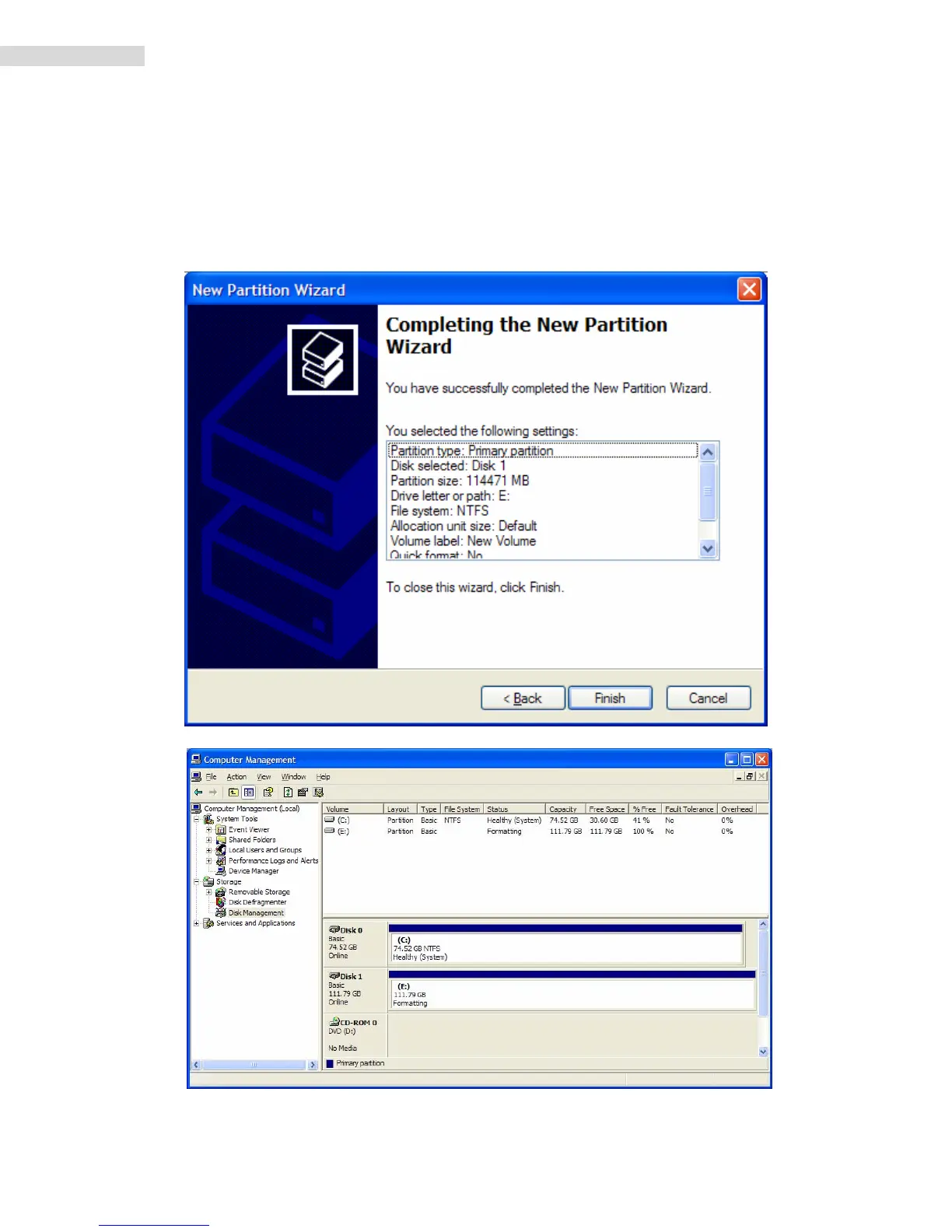
14. Younowreachedthe“CompletingtheNewPartitionWizard”screen.Itdisplaysthe
varioussettingsyoupreviouslyselected.Ifyouaresatisfiedwithyourselections,
click
“Finish”tocompletethenewformatting.AtthistimetheRocstordiskdriveisbeing
formatted,whichmaytakeafewminutes.













 To Next Page