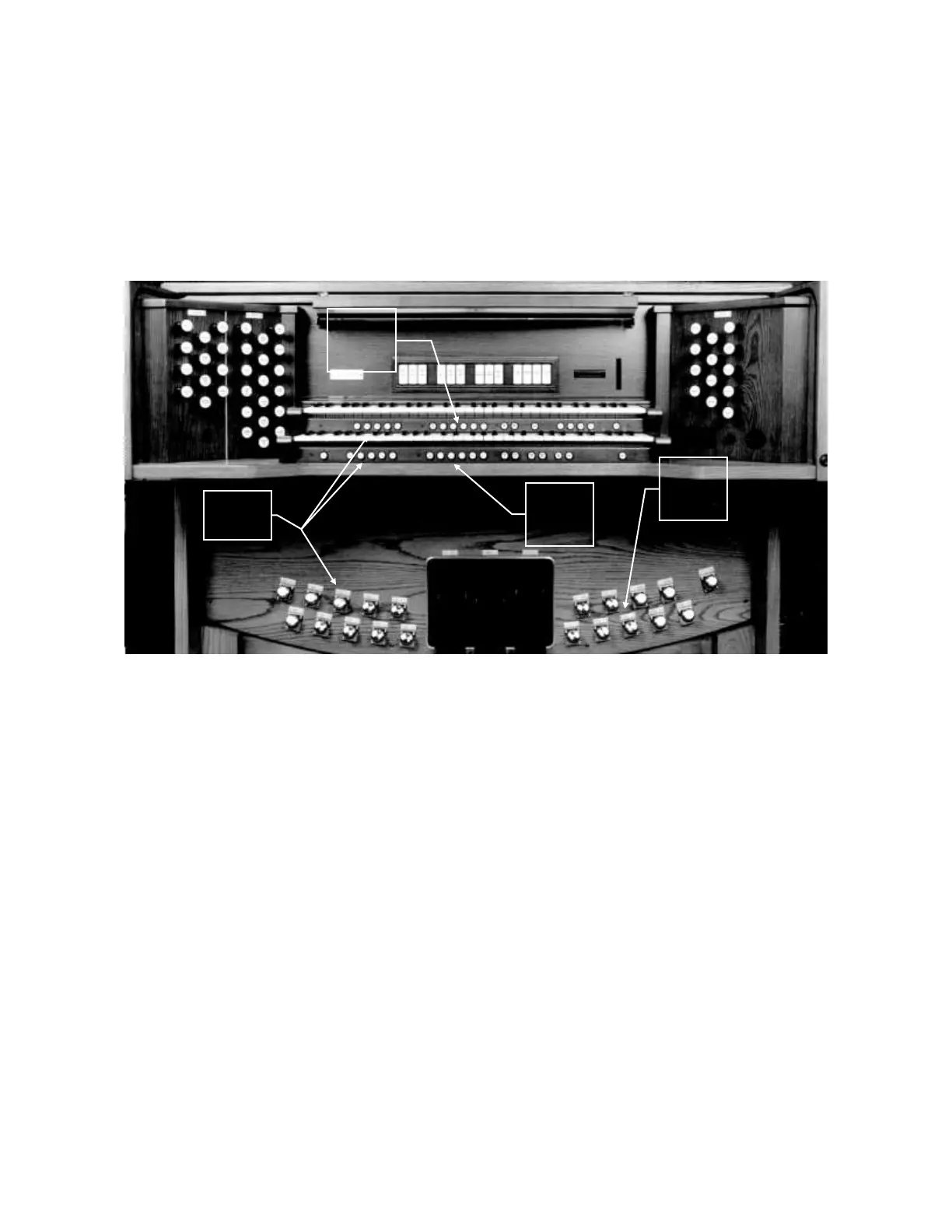
operated by toe pistons located on the right bottom row of toe pistons. The Divisional pistons
independently affect all stops and MIDI controls on the Great, Swell or Pedal. Each division
registration may be changed independently by pressing a Divisional piston.
Note: For expanded memory capability, please refer to the “Rodgers Personal Memory
Card” section.
A combination memory must be unlocked to set pistons. Once the pistons are set, the
combination memory may be locked again to prevent accidental change.
UNLOCKING A COMBINATION MEMORY:
1. Press and hold M1, M2, M3 or M4 located under the Swell manual to the right for
approximately five seconds. “USING INTERNAL MEMORY” or “USING
CARD MEMORY” appears in the Console Display first. Then “MEMORY (#)
LOCKED” appears.
2. While continuing to hold the memory piston, rotate the Alpha Dial either direction
until the Console Display reads “MEMORY (#) UNLOCKED.”
3. Release the memory piston. The memory is now unlocked.
Pedal
Divisional
Pistons
1-5
Great
Divisional
Pistons
1-6
Swell
Divisional
Pistons
1-6




 To Next Page