VOICE PALETTE
™
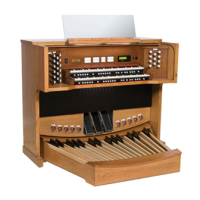
Many of the speaking stops on the Rodgers 835 can play additional voices which are
selectable through the Voice Palette
™
menu. These voices are:
2' Waldflöte, 2' Fifteenth
Note: The drawknobs with small dots above the stop name denote where a palette voice is
located.
The voices located on one stop control cannot be played simultaneously. However, a
stop’s primary voice may be stored on one combination piston, and its Voice Palette selection
may be stored on another combination piston. Note: On some earlier organs, the Voice
Palette selections cannot be saved on combination pistons. Contact your local authorized
Rodgers representative for information on updating the instrument.
ACCESSING THE VOICE PALETTE:
1. Press and hold the SET piston.
2. Turn on the stop to be changed. For example, select the 16' Principal in the Pedal.
The Console Display reads:
P D P R I N C I P L 1 6 =
* P R I N C I P L 1 6 *




 To Next Page