Chapter 2
30
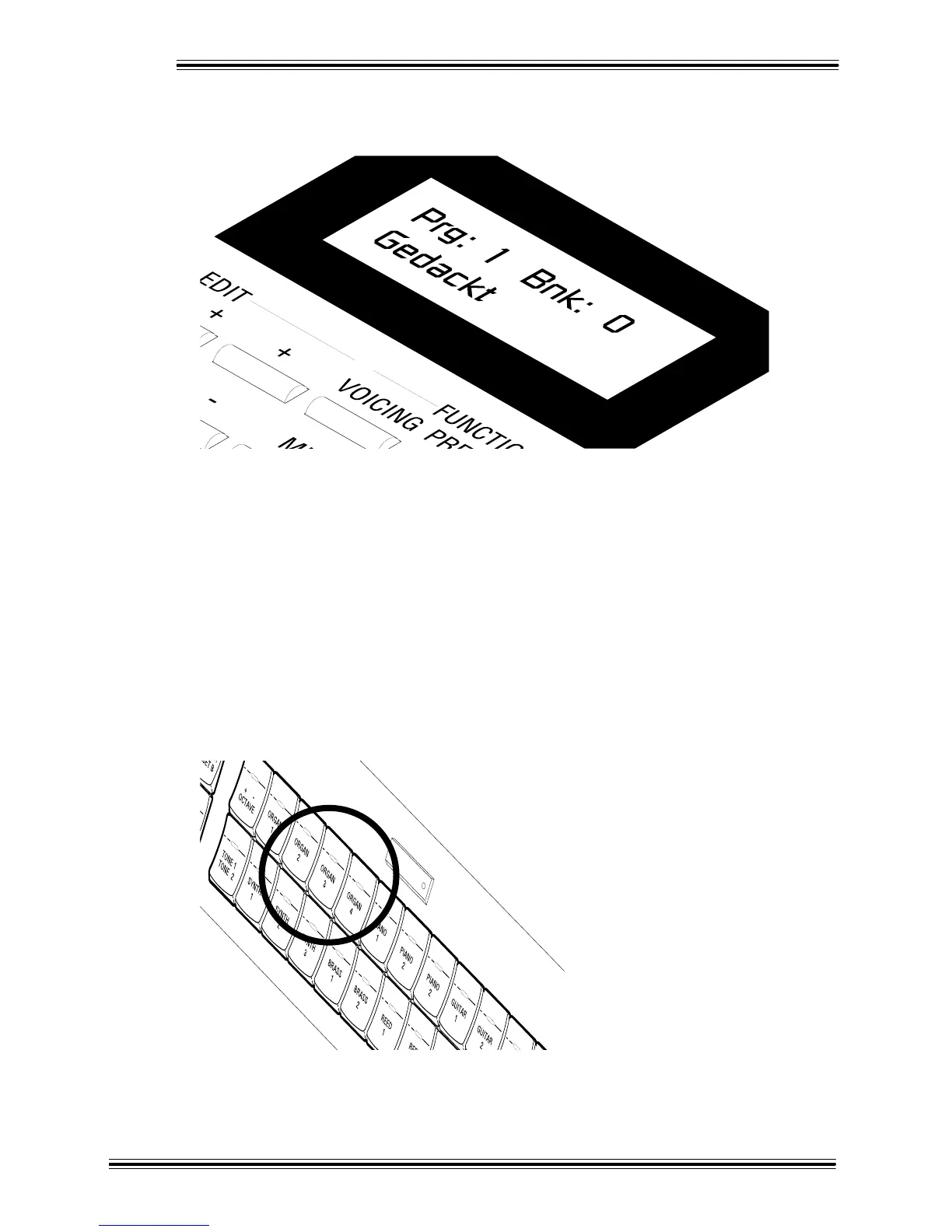
Depending on which Tone has been assigned to that button (which you'll learn how to do), the LCD
will read something like:
This indicates a Program Number ('1' in this case), a Bank Number ('0'), and a name ('Gedackt'). (Note
that much of the terminology used with the W-5000's Classic Organ Tones comes from traditional
pipe organs.)
Play the Upper manual to hear the sound you have selected.
Ì To select different Classic Organ Tones (Program Numbers), press the [+] button in the EDIT section.
Pressing the [+] button will advance through the Program Numbers and pressing the [-] button
reselects the previous Program Number.
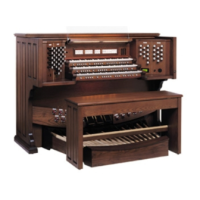
Í Try some of the other organ Tones under the [ORGAN 2], [ORGAN 3] and [ORGAN 4] buttons if
you like. Again, you can select additional Tones using the [+] and [-] buttons in the EDIT section.
(Don't be concerned about selecting some of the same sounds you found under the [ORGAN 1] button
- we'll explain what's going on in due time!)
UPPER



 To Next Page