Chapter 6
70
VOICING
The Voicing parameters are provided for those who wish to customize the W-5000's Synth or Drawbar
Tones.
The available voicing parameters are as follows:
Keyboards: Upper, Lower, Pedal, All
Layers: Tone 1, Tone 2, Drawbar, MIDI, Solo, All
Mappable
Destinations
Values Voicable
Destinations
Values Switchable
Destinations
Values
Volume 0-20 Vel Sense -10-10 Sustain -
Vib Depth -10-10 Vel Offset -10-10 Sostenuto -
Vib Rate -10-10 Glide Time -10-10 Soft
Cutoff -10-10 Vib Delay -10-10 Glide 0, 1
Resonance -10-10 Rotary S/F
Attack -10-10
Decay -10-10
Release -10-10
Pan -10-10
Seq Volume 0-20
Drum Volume 0-20
Detune (in 'cents') -25-25
Hz Detune (x 0.2 Hz) -25-25
Note: 'Pitch' is not available under the [VOICING] button as a mappable or voicable destination because
each Tone button has an octave shift parameter, and it is unlikely that you would want to shift a layer's pitch
in semitones. Therefore, please use 'Detune' and 'Hz Detune' to set the pitch of a layer.
Again, an example will best illustrate how the Voicing functions work. You'll see that they are set in a
manner very similar to the Controls parameters.
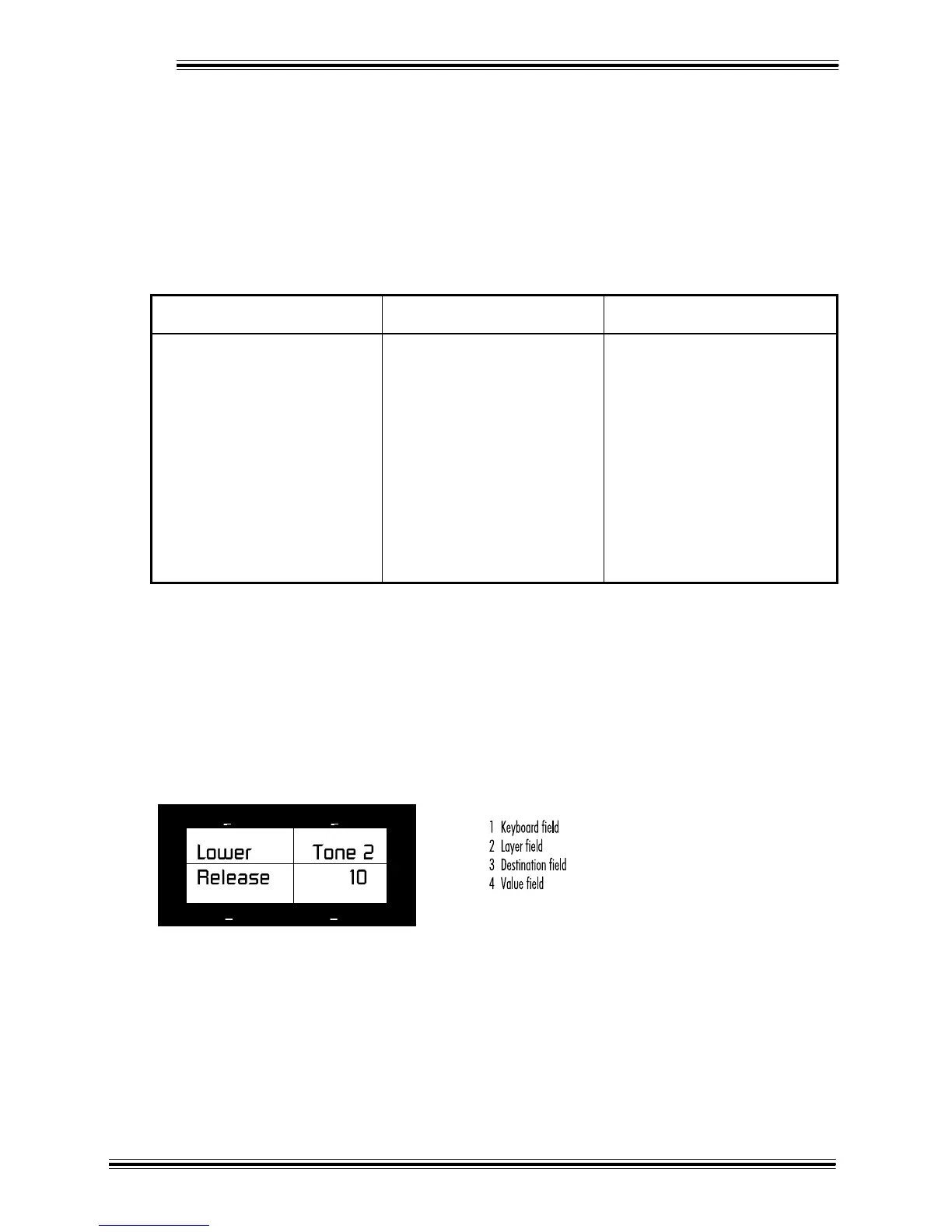
In the LCD, [VOICING] parameters are presented in four fields: one for keyboard selection, layer selection,
destination selection and finally for a depth value.
2
3
4
1
Suppose you want to set the release time for Tone 2 in the Lower keyboard. (Be sure you have a Tone 2
sound selected otherwise you won't hear anything.) Here's what you do:
Ê Press the [VOICING] button.
Ë With the [++] and [--] buttons select 'Lower' (the keyboard) in the first field.
Ì Press [NEXT] to move to the next field. With the [++] and [--] buttons select 'Tone 2' (the layer).








 To Next Page