20
CHECKMATE™
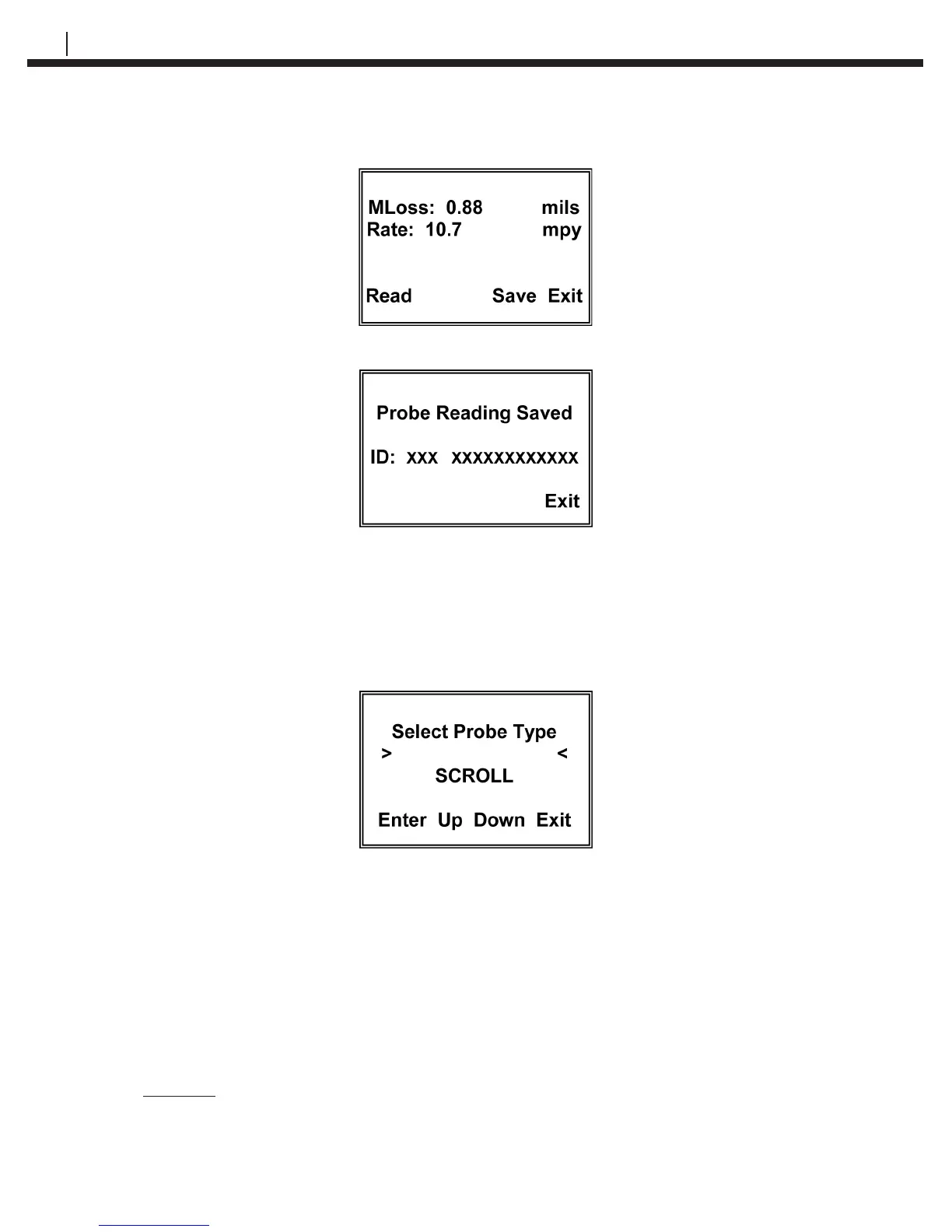
The display for the example above would show:
Press Save to go to the Probe Reading Saved display:
The present probe reading will be saved with the ID number and Tag Number as displayed.
Pressing the Exit key will return to the Read Probe By display for reading of other probes.
To read a New probe
Press New to go to the Select Probe Type display
The probe type selections are W80 WIRE, W65 WIRE, W45 WIRE, W40 WIRE, TF50,
TF5, T50 CYLINDRICAL, T20 CYLINDRICAL, T10 CYLINDRICAL, T8 TUBE LOOP, T4
TUBE LOOP, S50 FLUSH, S40 FLUSH, S20 FLUSH, S10 FLUSH, S8 STRIP LOOP, S8
FLUSH, S4 STRIP LOOP, S4 FLUSH, S4 ATMOSPHERIC, OTHER and TEST PROBE
CO. You may scroll up through the list by repeatedly pressing the Up (F2) key or down
through the list by repeatedly pressing the Down (F3) key. When the probe element
selection is displayed, press the Enter (F1) key to accept the selection. The CheckMate™
will automatically proceed to the next display based on the selection.
If a standard ER probe (element) is selected, the CheckMate™ will
automatically go to the measure mode and the Taking Probe Reading – Please Wait
display will appear:


 To Next Page