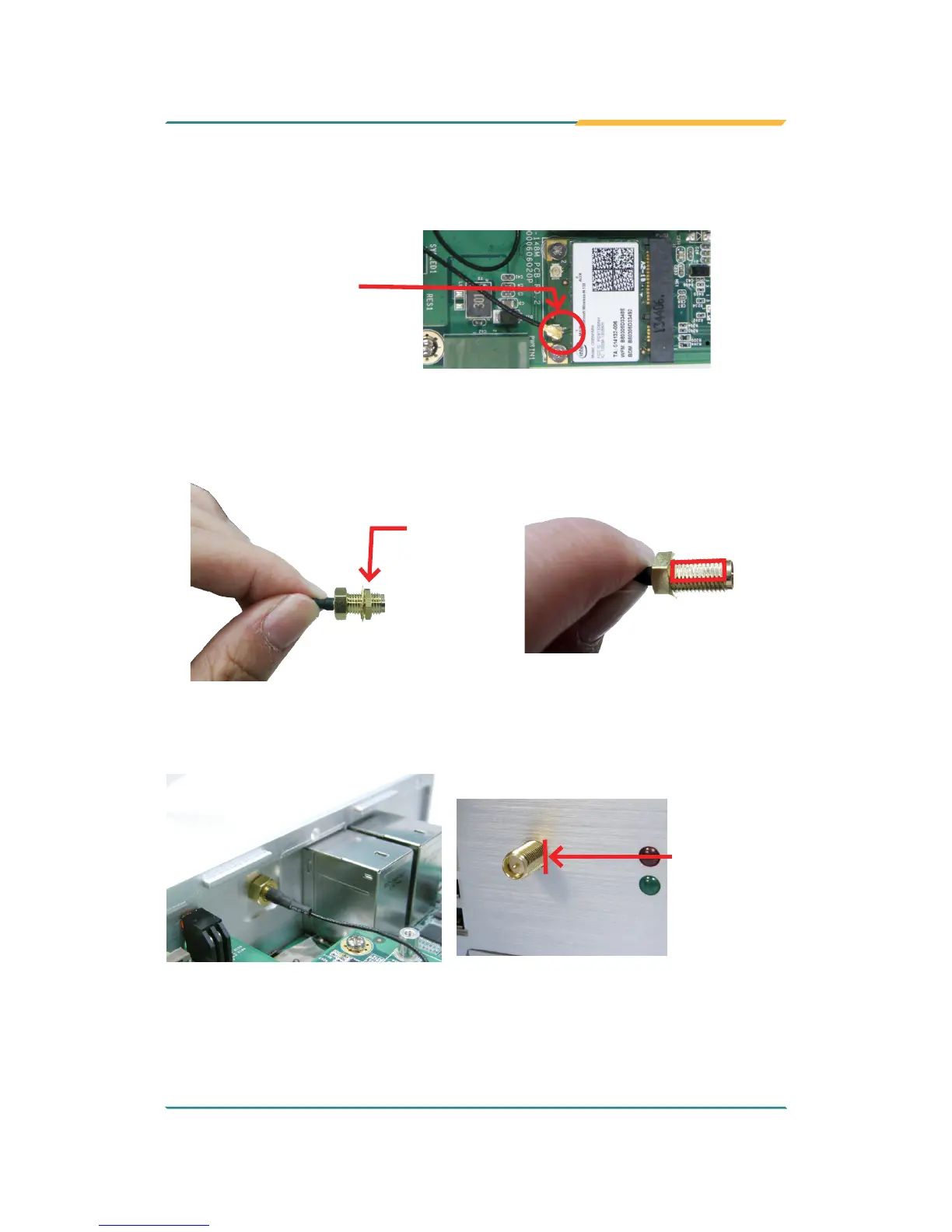
8. Connect the RF antenna’s MHF connector to the Wi-Fi module’s “MAIN“
connector.
Connect the RF
antenna’s MHF
connector to the Wi-Fi
module’s “MAIN”
connector
9. From the other end of the RF antenna, which is an SMA connector, remove
the washer and the nut. Save the washer and nut for later use. Note the
SMA connector has the form of a threaded bolt, with one at side.
Remove
the nut and
washer.
Among the screw
thread, there is a
at side.
10. Pull the SMA connector through the above mentioned antenna hole. Note
to meet the aforesaid attened side with the antenna hole's at side.
Arrange the
at side of the
SMA connector
to meet the
at side of the
antenna hole.


 To Next Page