SUPER ELF S3 – Dornier
4. SETTINGS AND OPERATION
How to set working parameters
1. Turn the loom main switch ON. The feeders are now supplied with power and receive the
setup data from the loom Control (wait for about one minute).
2. The pulsar calibration cycle is then automatically performed. If no faults occur, the signaling
led, on the front side of the feeder, remains ON. In case of faults, the led blinks and a fault
message is shown on the loom Dialog panel display.
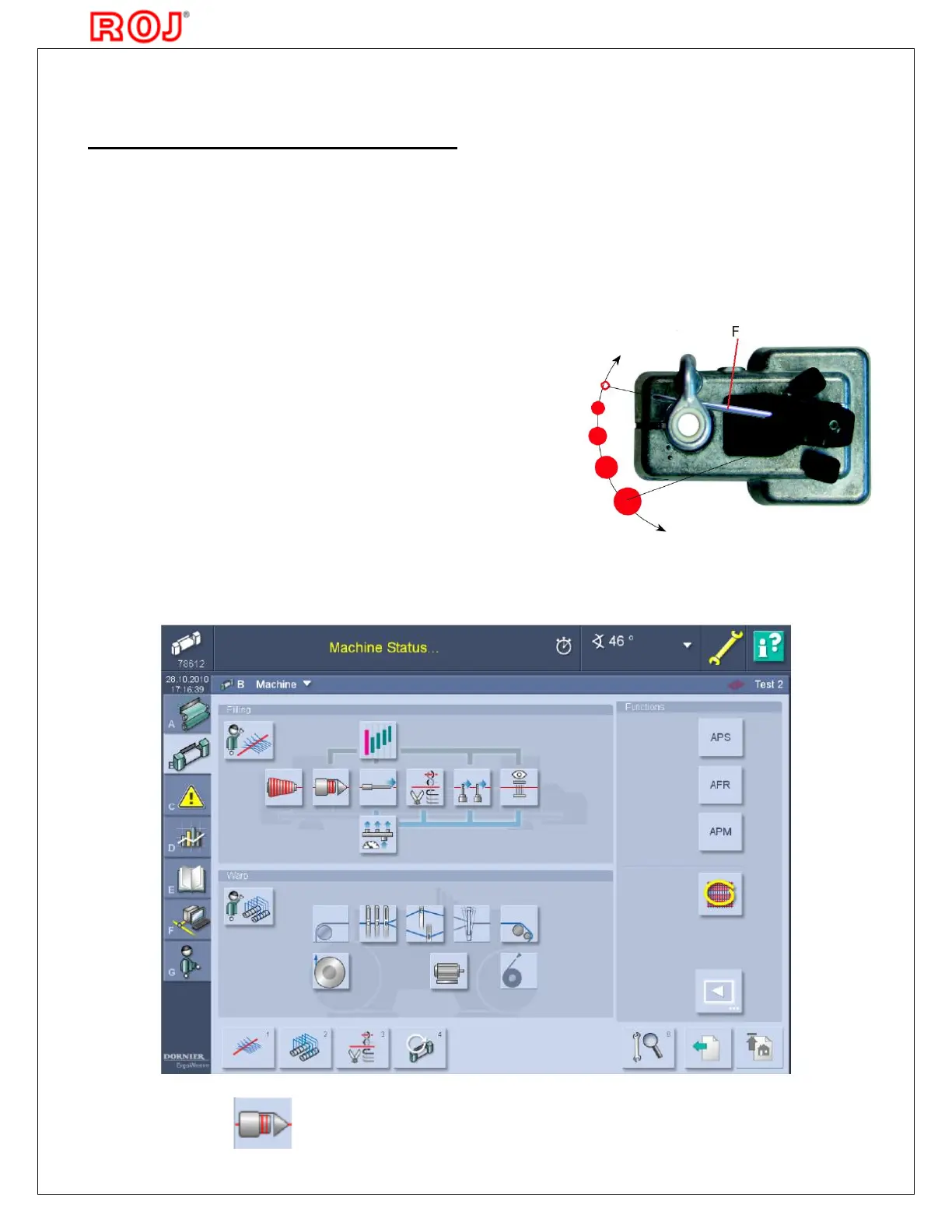
3. According to the woven article, adjust the functioning parameters of Super Elf S3, which
can be set on DORNIER loom Dialog panel (see picture below).
4. Press the icon to enter the feeder pages.
Note: Before switching the loom power ON, always
verify that the pulsar fork (F) is free to move and
therefore avoid:
· Yarn tied to eyelet holder or any other machine part
· Yarn inserted into the fabric and not cut
The yarn can be kept firmly by loom controlled devices
as these are synchronized with the Pulsar calibration
function. To reset the error "Pulsar not calibrated",
switch the loom OFF, make sure that the Pulsar fork is
free to move, then switch the loom back ON.



 To Next Page