EasyManua.ls Logo

Roksan Audio 5-CH AMPLIFIER - User Manual

Roksan Audio 5-CH AMPLIFIER
9 pages
Print Icon
To Next Page IconTo Next Page
Loading...
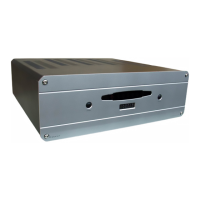
Caspian
5-CH AMPLIFIER
5-Channel A/V Power Amplifier
USER MANUAL
ROKSAN AUDIO LIMITED
6 NORTHFIELD INDUSTRIAL ESTATE
BERESFORD AVENUE ALPERTON
MIDDLESEX HA0 1NW ENGLAND
TEL. +44 (0)208 900 6801
+44 (0)208 900 6802
FAX. +44 (0)208 900 0734

Questions and Answers

  • G
    Gregory SheppardJul 31, 2025
    What to do if my Roksan Audio 5-CH has no output on one or more channels?
    • T
      theresa98Jul 31, 2025
      If your Roksan Audio Amplifier has no output on one or more channels, there are several potential causes. First, ensure the amplifier is not in stand-by mode; the MODE light should be GREEN (AUTO mode), not RED. Check all input connections to ensure they are properly connected and that the input signal is present. Verify all output connections on the rear panel to ensure correct speaker connection. Finally, if the amplifier is overheating, allow it to cool down, increase ventilation, or use it at a lower volume.
  • S
    smorganAug 9, 2025
    How to troubleshoot a Roksan Audio 5-CH Amplifier that has no power?
    • J
      joecantuAug 9, 2025
      If your Roksan Audio Amplifier has no power, make sure the AC Mains lead is fully inserted into the unit. Also, verify that the unit is switched on using the power switch located on the rear panel.
  • R
    Rachel CarterAug 18, 2025
    Why is my Roksan Audio Amplifier causing a hum from the speakers?
    • C
      Christine ThomasAug 19, 2025
      If you are experiencing hum from the speakers connected to your Roksan Audio Amplifier, the issue might be incorrect grounding. Check the Mains polarity and grounding on all connected equipment.

Summary

Cautions and Safety

AC Mains Supply

Information on voltage, plugs, polarity, fuses, and grounding for safe operation.

General Cautions

Covers FCC warnings, interference, and proper unit placement advice.

Installation Guide

Front Panel Overview

Identification and function of front panel controls and indicators.

Rear Panel Connections

Details and layout of rear panel input/output terminals and connectors.

Setup Procedures

Connecting Mains Power

Instructions for connecting the power lead to the unit and the mains supply.

Signal Connections

Guide for connecting audio signal inputs and outputs.

Output Connections

Speaker Outputs

Detailed instructions on connecting loudspeakers to the amplifier's terminals.

Operation and Troubleshooting

Operating the Amplifier

Steps for turning the unit on/off and understanding operational indicators.

Multi-Amping Loudspeakers

Guidance on using multiple drive units for enhanced speaker performance.

Troubleshooting Common Issues

Solutions for common problems like no power, no output, or hum.

Guarantee and Specifications

Product Guarantee

Information regarding the warranty period, terms, and exclusions.

Technical Specifications

Detailed technical data including inputs, outputs, power, and dimensions.

Roksan Audio 5-CH AMPLIFIER Specifications

General IconGeneral
Channels5
Number of Channels5
Signal-to-Noise Ratio>100dB
Input Sensitivity1.2V
Input Impedance47k Ohms
Damping Factor>200
TypePower Amplifier
Frequency Response20Hz - 20kHz

Related product manuals