In both cases, if no video is detected on the input, then the TV will usual show a
message such as “No video” or “No signal detected”.
2. The video cable is not connected properly or the cable is faulty
o Check that the video cable is firmly connected to the back of your Roku player and to
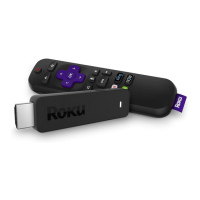
the HDMI or composite connector on the TV. If you have a Roku Streaming Stick, then
make sure it is firmly connected to the HDMI connector on your TV.
o If you can, check to see if you have a faulty cable by connecting your Roku player with a
different cable.
3. There is a problem with the TV
o If you can, try connecting the Roku player to a different input on the TV to see if the
problem is with connector on the TV.
o If you can, try connecting the Roku player to a different television to see if the problem
is with your Roku player or the TV.
4. If all else fails…
o Disconnect and reconnect all cables including the power cable.
If you are connected to a television or AVR capable of displaying 4K
If you are connected to a television or AVR that it is capable of displaying 4K resolution, then
you may wish to check how to setup your Roku streaming player for 4K.
What to do if your Roku® streaming player will not power on
Background
Many Roku streaming players require that they are connected to a wall power outlet using the
power adapter that came with the device. Alternatively, some Roku players (e.g. Roku Express*)
and Roku® Streaming Sticks® can also be powered from the USB port on select TVs.
Note: The USB port on some TV’s may be unable to power a Roku streaming player.
Most Roku streaming players also have a white light on the front of the device that indicates
when the device is ON. This article describes what to do if you do not see the video from your
Roku player on the TV and the light on the front of the device is OFF.
If the light is ON, learn what to do if you cannot see the video from your Roku player on the TV.
If there is a SOLID RED LIGHT, then your Roku player may be overheating
If there is a FLASHING RED light, then your Roku player is getting insufficient power.
* Some models not available in all countries.


 To Next Page